1. Introduzione
This manual provides essential instructions for the safe and effective use of your Sony Alpha a7 II ILCE-7M2/B Full-Frame Mirrorless Camera. Please read this manual thoroughly before operating the camera and retain it for future reference. The Sony Alpha a7 II is designed for high-quality photography and videography, featuring a 24.3MP full-frame sensor, 5-axis in-body image stabilization, and a fast hybrid autofocus system.
2. Produttu Finituview
The Sony Alpha a7 II is a full-frame mirrorless camera body equipped with advanced features for capturing detailed images and smooth videos. Key features include:
- 24.3MP Full-Frame Exmor CMOS Sensor: Offre alta risoluzione è eccellenti prestazioni in condizioni di scarsa illuminazione.
- 5-Axis SteadyShot INSIDE Image Stabilization: Compensates for camera shake across five axes, enhancing sharpness for both stills and video, even with non-stabilized lenses.
- Fast Hybrid Autofocus System: Combines 117 phase-detection and 25 contrast-detection points for quick and accurate subject tracking.
- Registrazione video Full HD 1080p: Supports up to 60 fps with XAVC S compression and S-Log2 gamma for professional-grade video.
- BIONZ X Image Processor: Ensures rapid processing and high image quality.
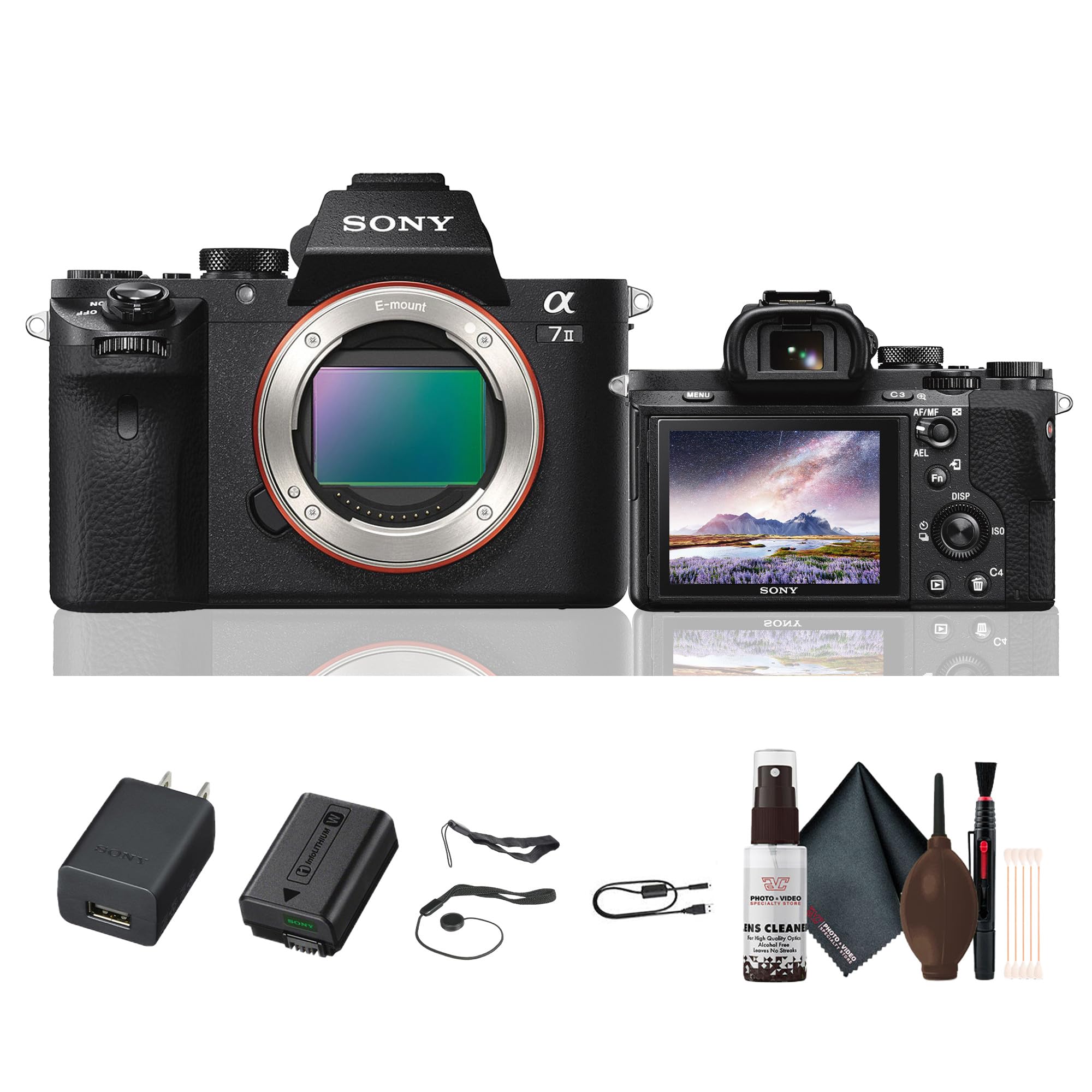
Figura 2.1: Posteriore view of the Sony Alpha a7 II camera with the LCD screen closed, showing the electronic viewfinder, control dials, and buttons.
3. Setup
3.1. Unpacking è Ispezione iniziale
Eliminate cù cura tutti i cumpunenti da l'imballu. Verificate chì tutti l'articuli elencati quì sottu sianu presenti. Se qualchì articulu manca o hè dannighjatu, cuntattate u vostru rivenditore.
Articuli inclusi:
- Sony Alpha a7 II Mirrorless Digital Camera Body
- Batteria ricaricabile
- Adattatore AC
- Cavu USB
- cinturione di spalla
- Cappucciu di u corpu
- Cappucciu di scarpa accessoria
- Tazza oculare
3.2. Attaching the Lens
- Eliminate u tappu di u corpu da a camera è u tappu posteriore di l'obiettivo da l'obiettivo.
- Allineate a marca d'indice bianca nantu à l'obiettivu cù a marca d'indice bianca nantu à u corpu di a camera.
- Muntate a lente girandula in sensu orariu finu à ch'ella si mette in u locu.
Note: The a7 II uses Sony E-mount lenses. A-mount lenses can be used with an optional adapter.
3.3. Inserimentu di a batteria è di a carta di memoria
- Open the battery/memory card cover located at the bottom of the camera.
- Insert the fully charged battery pack with the arrow pointing towards the camera, pushing it in until it locks.
- Insert a compatible memory card (SD card, Memory Stick PRO Duo) into the memory card slot with the notched corner facing the correct direction, pushing until it clicks.
- Chiudete bè u coperchiu di a batteria/carta di memoria.
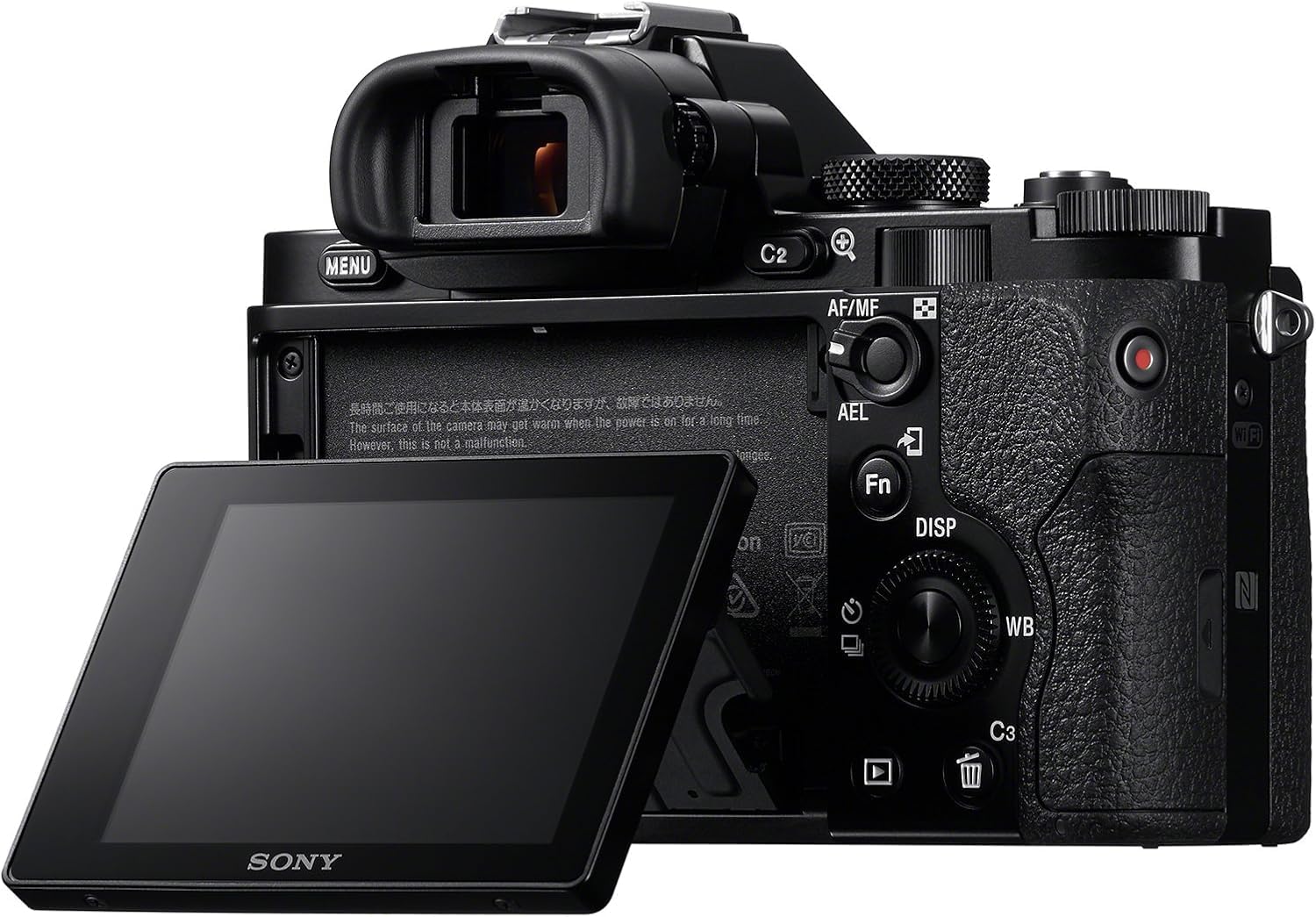
Figura 3.1: Posteriore view of the Sony Alpha a7 II camera with the LCD screen tilted outwards, showing the battery/memory card compartment.
3.4. Charging the Battery
Connect the camera to the AC adaptor using the supplied USB cable. The charging indicator lamp s'illuminarà durante a carica è si spegnerà quandu a carica hè cumpleta. Una carica cumpleta dura di solitu circa 150 minuti.
4. Upirari la Camera
4.1. Power On / Off
Per accende o spegne a camera, fate scorrere l'interruttore ON/OFF situatu intornu à u buttone di l'otturatore.
4.2. Modi di Ripresa Basi
Rotate the Mode Dial (located on the top plate) to select your desired shooting mode:
- autumàticu: A camera aghjusta automaticamente i paràmetri per risultati ottimali.
- Prugramma Auto (P): A camera imposta l'apertura è a velocità di l'otturatore, ma pudete aghjustà altre impostazioni.
- Priorità di l'apertura (A): Tu imposti l'apertura, a camera imposta a velocità di l'otturatore.
- Priorità di l'otturatore (S): Tu imposti a velocità di l'otturatore, a camera imposta l'apertura.
- Manuale (M): Cuntrullate sia l'apertura sia a velocità di l'otturatore.
- Filmu: Per a registrazione di video.
- Scelta di scena: Pre-set modes for specific scenes (e.g., Landscape, Portrait, Sports).
4.3. Focusing
The a7 II features a Fast Hybrid Autofocus system. To focus, half-press the shutter button. The camera will automatically detect and focus on your subject. You can also manually select focus points or use manual focus (MF) by setting the focus mode switch on your lens or in the camera menu.
4.4. Stabilizazione di l'Image
The camera's 5-axis SteadyShot INSIDE image stabilization system is active by default. This system helps reduce blur caused by camera shake, especially useful in low light or when using longer focal lengths. The system works with both native E-mount lenses and adapted lenses.
4.5. Video Recording
To record video, set the Mode Dial to the Movie mode. Press the dedicated MOVIE button (usually located on the side or rear of the camera grip) to start and stop recording. The camera records Full HD 1080p video at various frame rates up to 60 fps.
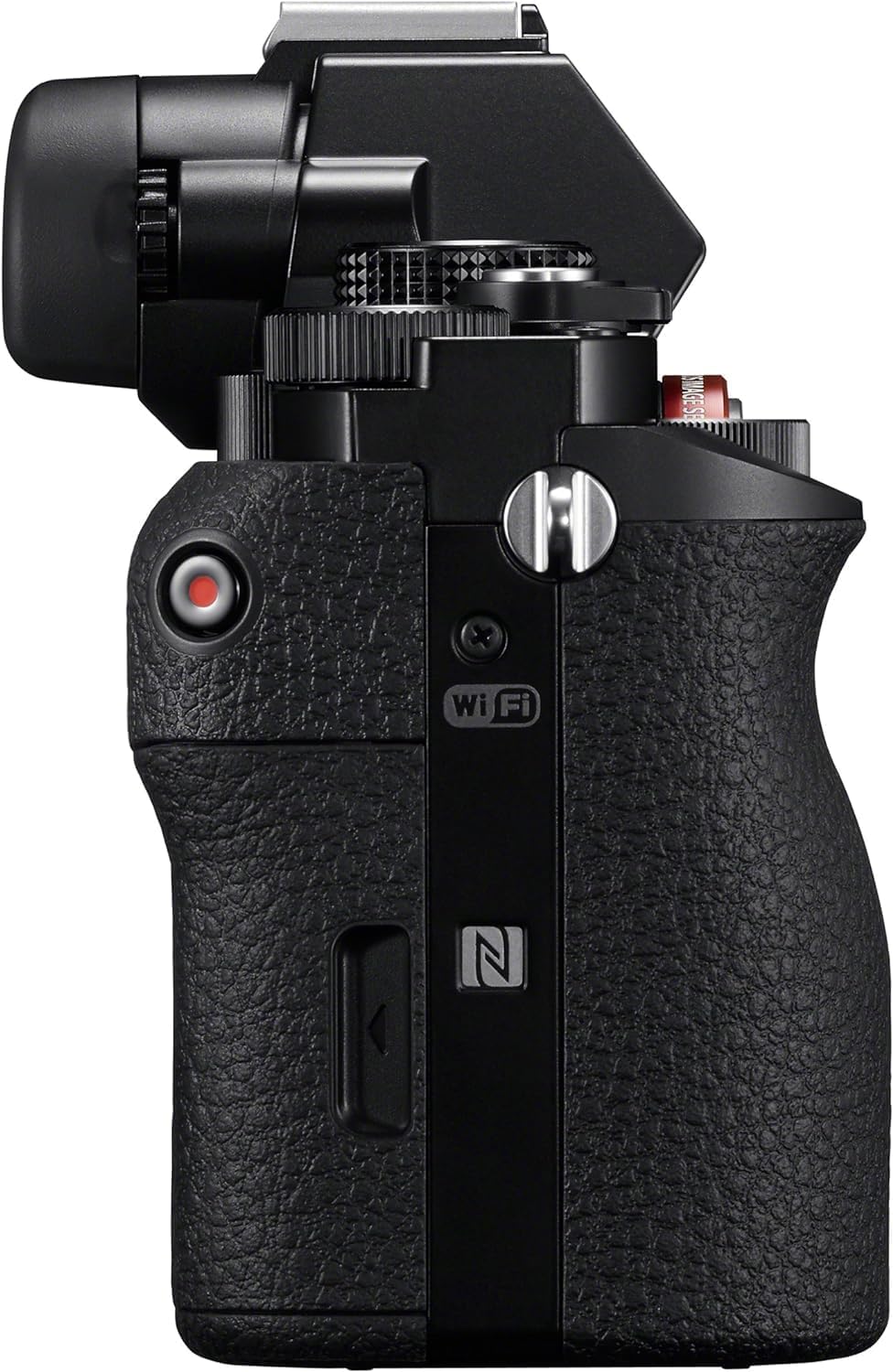
Figura 4.1: Side view of the Sony Alpha a7 II camera, highlighting the grip and movie record button.
4.6. Connectivity
The camera supports HDMI and USB connectivity. Use the HDMI output to view photos and videos on a compatible display. The USB port can be used for charging, data transfer to a computer, or connecting to other compatible devices.
5. Mantenimentu
5.1. Pulizia di a Camera
- Corpu di a camera: Asciugate cù un pannu dolce è asciuttu. Per a sporcizia ostinata, aduprate un pannu ligeramente asciugatu.ampfinitu cù l'acqua. Evite i sustanzi chimichi duri.
- Lenti: Use a lens brush or blower to remove dust. For smudges, use a lens cleaning solution and a microfiber cloth specifically designed for optics.
- Sensore: Sensor cleaning should only be performed by authorized service personnel or experienced users with appropriate tools to avoid damage.
- Pantalla LCD: Asciugate delicatamente cù un pannu dolce è asciuttu.
5.2. Cura di batterie
- Always use genuine Sony battery packs.
- Caricate cumpletamente a batteria prima di u primu usu è dopu à periodi prolungati di inattività.
- Store batteries in a cool, dry place. Do not expose to extreme temperatures.
5.3. Storage
When storing the camera for an extended period, remove the battery and memory card. Store the camera in a dry, well-ventilated area, preferably with a desiccant to prevent mold and mildew.
6. Risoluzione di prublemi
Sè avete prublemi cù a vostra camera, riferitevi à i seguenti passi cumuni di risoluzione di i prublemi:
- A camera ùn s'accende micca:
- Assicuratevi chì a batteria sia cumpletamente carica è inserita currettamente.
- Pruvate à aduprà una batteria diversa, cumpletamente carica, se dispunibule.
- Ùn si pò fà ritratti:
- Check if a memory card is inserted and has sufficient free space.
- Assicuratevi chì u tappu di l'obiettivo sia cacciatu.
- Verify the camera is not in a mode that prevents shooting (e.g., playback mode).
- L'imagine sò sfocate:
- Check focus settings (Autofocus vs. Manual Focus).
- Ensure shutter speed is fast enough for the shooting conditions to prevent motion blur.
- Verify image stabilization is active if shooting handheld in low light.
- Clean the lens if smudges are present.
- A batteria si scarica rapidamente:
- Riduce a luminosità di u LCD.
- Disattivate u Wi-Fi/NFC quandu ùn hè micca in usu.
- Limità a ripresa cuntinua o a registrazione video.
- Assicuratevi chì a batteria ùn sia micca vechja o dannighjata.
For more detailed troubleshooting, consult the comprehensive online manual available on the Sony support websitu.
7. Specificazioni
| Numero di mudellu | ILCE-7M2/B |
| Tipu di sensor | Full Frame (35mm) Exmor CMOS |
| Risoluzione Still Efficace | 24.3 MP |
| Stabilizazione di l'Image | 5-axis Sensor-shift (SteadyShot INSIDE) |
| Sistema di autofocus | Fast Hybrid AF (117 phase-detection, 25 contrast-detection points) |
| Risoluzione Video | Full HD 1080p (up to 60 fps) |
| Format Video | XAVC S, AVCHD, MP4 |
| Formatu Image | JPEG, RAW |
| Muntaggi compatibili | Sony E-mount |
| Tipu di visualizazione | LCD inclinabile di 3.0 pollici (1,228,800 punti) |
| Viewfinder | 0.5-inch XGA OLED Electronic Viewfinder (2,359,296 dots) |
| Connettività | HDMI (Type A), USB 2.0, Wi-Fi, NFC |
| Tipu di batterie | Batteria ricaricabile à ioni di litiu NP-FW50 |
| Dimensioni (L x H x P) | Approx. 126.9 x 95.7 x 59.7 mm (5 x 3 7/8 x 2 3/8 inches) |
| Weight (with battery and memory card) | Circa. 599 g (1 lb 5.2 oz) |
8. Garanzia è Support
8.1. Garanzia infurmazione
Your Sony Alpha a7 II camera is covered by a manufacturer's limited warranty. Please refer to the warranty card included in your product packaging for specific terms and conditions, including warranty period and coverage details. Retain your proof of purchase for warranty claims.
8.2. Assistenza Clienti
For technical assistance, service, or additional product information, please visit the official Sony support website or contact Sony customer service in your region. Online resources often include FAQs, driver downloads, and comprehensive digital manuals.
Supportu Sony Websitu: www.sony.com/electronics/support