1. Introduzione
This manual provides essential information for the proper use and maintenance of your XIAOMI Redmi 15 5G smartphone. Please read this guide thoroughly before operating your device to ensure optimal performance and longevity. The Redmi 15 5G is designed for reliable daily use, featuring a large display, powerful battery, and advanced camera system.
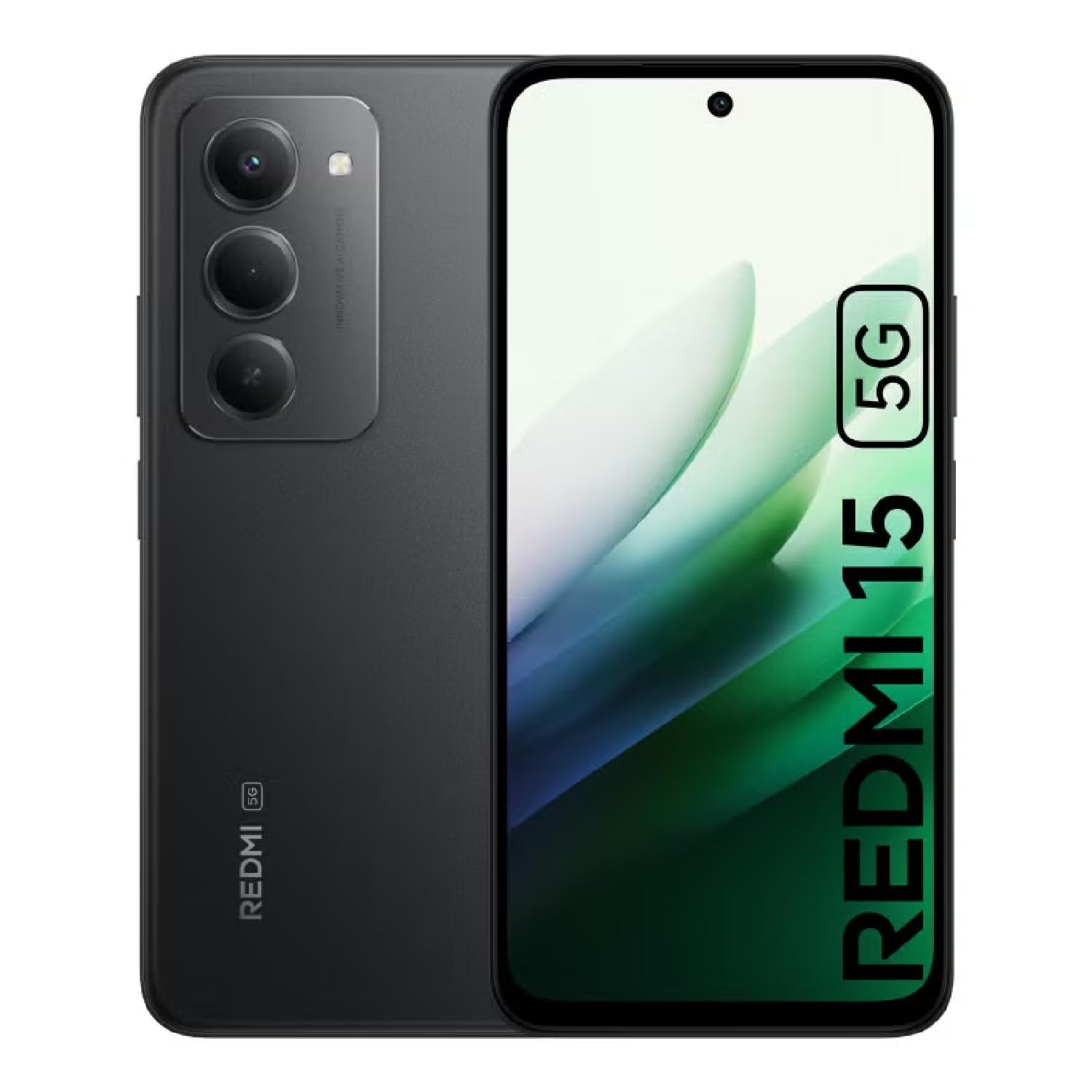
Image: The XIAOMI Redmi 15 5G smartphone, showcasing its design in multiple color options.
2. Ciò chì hè in a scatula
- XIAOMI Redmi 15 5G Smartphone
- Cavu USB
- Casu di u telefuninu
- SIM Ejector Tool (may be included with documentation)
- Guida d'iniziu rapidu è informazioni di garanzia
3. Setup
3.1. Installazione di a carta SIM è di a carta MicroSD
- Truvate u cassettu SIM à u latu di u vostru dispositivu.
- Inserite u strumentu d'espulsione di a SIM in u picculu foru accantu à u vassoio è appughjà delicatamente finu à chì u vassoio esce fora.
- Place your Nano-SIM card(s) and/or microSD card into the tray, ensuring they are correctly oriented. The Redmi 15 5G supports a hybrid SIM slot (SIM1 + SIM2 or SIM1 + microSD).
- Rimette cù cura u cassettu in u telefunu.
3.2. Accensione iniziale è cunfigurazione
- Appughjà è tene premutu u buttone di accensione finu à chì appare u logu XIAOMI.
- Segui l'istruzzioni nantu à u screnu per selezziunà a vostra lingua, regione è cunnette vi à una rete Wi-Fi.
- Sign in with your Google account or create a new one to access apps and services.
- Set up your preferred security methods, such as a PIN, pattern, password, fingerprint, or AI face unlock.
4. Operating Instructions
4.1. Funzioni di visualizazione
The Redmi 15 5G features an immersive 6.9-inch FHD+ DotDisplay with a resolution of 2340 × 1080 pixels (374 PPI). Enjoy smooth visuals with a refresh rate of up to 144Hz and a touch sampling rate of up to 288Hz. The display offers a typical brightness of 700 nits (850 nits HBM) and a contrast ratio of 1400:1. It includes an all-day eye-care display with DC dimming and TÜV Rheinland certifications for low blue light, circadian friendly, and flicker-free viewing. The Wet Touch Technology 2.0 ensures accurate touch response even with wet fingers.
4.2. Sistema di càmera
Capture high-quality photos and videos with the 50MP AI dual camera system. The main camera features a 5P lens with an f/1.8 aperture. Video recording supports 1080p (1920x1080) HD at 30 fps and 720p (1280x720) HD at 30 fps. The 8MP front camera (f/2 aperture) is ideal for selfies and video calls, offering features like filmCamera, HDR mode, soft-light ring, portrait mode, and time-lapse. Front camera video recording also supports 1080p and 720p HD at 30 fps.

Imagine: Dettagliata view of the Redmi 15 5G's rear camera system.
4.3. Prestazioni è Batteria
Powered by the Snapdragon® 6s Gen 3 5G Mobile Platform, built on an efficient 6nm process, the device offers smooth and reliable performance. The octa-core CPU (Kryo, up to 2.3GHz) and Adreno GPU ensure efficient multitasking and gaming. The phone comes with 8GB of RAM, expandable up to 16GB with Memory extension (utilizing ROM storage). A massive 7000mAh (typical) battery provides extended usage, offering up to 24 hours of talk time.
4.4. Cunnettività è Sicurezza
The Redmi 15 5G supports 5G connectivity (SA and NSA bands), 4G LTE, and 3G/2G networks. It includes NFC for contactless payments and data transfer, Wi-Fi for internet access, and comprehensive GPS support (GPS, Glonass, Galileo, Beidou). Security features include a side-mounted fingerprint sensor and AI face unlock for convenient and secure access.
5. Mantenimentu
- Pulizia: Aduprate un pannu dolce è senza pelu per pulisce u schermu è u corpu. Evitate i prudutti chimichi aggressivi.
- Actualizazioni di u software: Verificate è installate regularmente l'aghjurnamenti di u sistema per assicurà prestazioni ottimali, sicurezza è accessu à e nuove funzionalità.
- Cura di a batteria: Per prolongà a durata di a batteria, evitate temperature estreme è ùn lasciate micca chì a batteria si scarichi cumpletamente spessu.
- Gestione di u almacenamentu: Sguassà periodicamente innecessariu files and apps to maintain device speed and free up storage space.
6. Risoluzione di prublemi
- U dispositivu ùn si accende micca: Ensure the battery is charged. Connect the device to its charger and wait a few minutes before attempting to power it on again.
- Apps Freezing or Lagging: Close background applications. Clear app cache or data if the issue persists with a specific app. Restarting the device can also resolve temporary performance issues.
- Scarsa cunnessione di rete: Check if your SIM card is properly inserted. Ensure mobile data is enabled and you are within network coverage. For Wi-Fi issues, restart your router and phone.
- A batteria scarica rapidamente: Reduce screen brightness, disable unnecessary features like GPS or Bluetooth when not in use, and close power-intensive background apps.
- Sensore d'impronte digitali chì ùn funziona micca: Assicuratevi chì u vostru ditu sia pulitu è asciuttu. Registrate di novu e vostre impronte digitali se u prublema persiste.
7. Specificazioni
| Feature | Specificazione |
|---|---|
| Nome di mudellu | 25057RN09E |
| Size Display | 6.9 inch |
| Risoluzione | 2340 x 1080 |
| Frequenza di rinfrescante | 144 Hz |
| Processore | Piattaforma Mobile Snapdragon 6s Gen 3 (Octa-core, finu à 2.3 GHz) |
| RAM | 8 GB (expandable up to 16GB with Memory extension) |
| Capacità di almacenamiento | 256 GB (espansibile finu à 2 TB cù microSD) |
| Camera principale | Doppia fotocamera IA da 50 MP |
| Camera frontale | 8 MP |
| Capacità batterie | 7000 mAh |
| Sistema upirativu | Xiaomi HyperOS basatu annantu à Android 15 |
| Connettività | 5G, Wi-Fi, NFC, GPS |
| Sicurezza | Sensore d'impronte digitali laterale, sbloccaggio facciale AI |
| Dimensioni | 6.74 x 3.23 x 0.34 inch |
| Pesu | 7.9 once (224 grammi) |
8. Garanzia è Support
Per infurmazioni nantu à a garanzia, vi pregu di cunsultà a carta di garanzia inclusa in l'imballu di u vostru pruduttu o visitate u situ ufficiale XIAOMI. website. If you encounter any issues not covered in this manual, please contact XIAOMI customer support for assistance. Keep your proof of purchase for warranty claims.


