1. Introduzione
The CUBOT Kingkong 11 is a rugged 5G smartphone designed for durability and high performance. It features a powerful processor, extensive memory, a large battery, and an advanced camera system, all housed in a robust, water-resistant, and dustproof body.
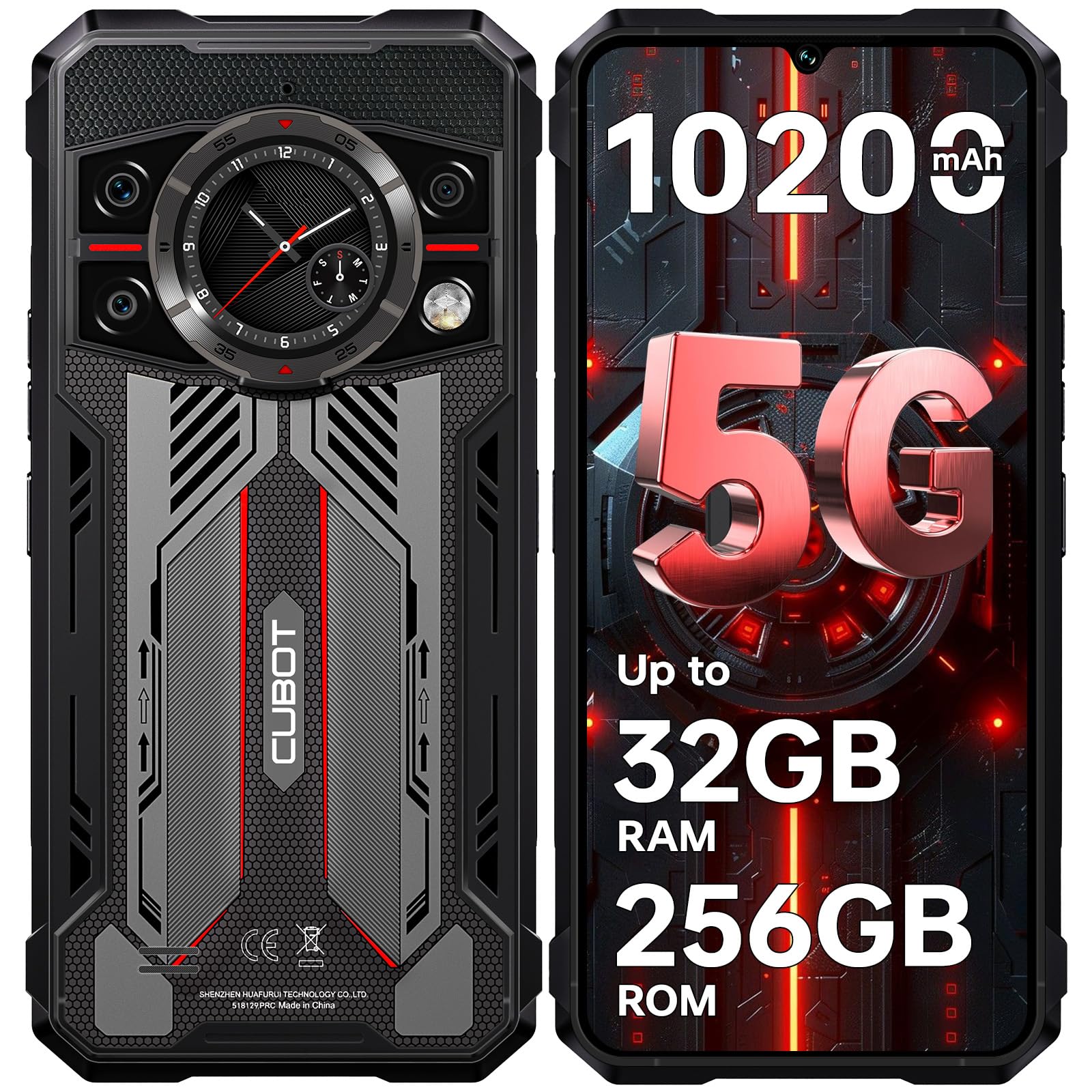
Imagine: Davanti è daretu view of the CUBOT Kingkong 11 5G smartphone, highlighting its rugged design.
2. Setup iniziale
2.1. Inserimentu di carte SIM è carta MicroSD
The CUBOT Kingkong 11 supports dual SIM cards and a MicroSD card for expanded storage.
- Truvate u cassettu di a carta SIM à u latu di u dispusitivu.
- Aduprate u strumentu d'espulsione di a SIM furnitu per apre u cassettu.
- Carefully place your Nano-SIM cards and/or MicroSD card into the designated slots. Ensure correct orientation.
- Spinghje delicatamente u vassoio in u dispusitivu finu à ch'ellu sia à livellu cù u latu.

Image: Close-up of the CUBOT Kingkong 11 showing the SIM card tray with waterproof seals.
2.2. Powering On and Initial Charge
- Press and hold the power button located on the side of the device until the CUBOT logo appears.
- For first-time use, it is recommended to fully charge the device. Connect the USB-C cable to the phone and the 33W fast charger to a power outlet.
- L'indicatore di batteria nant'à u screnu mostrerà u statu di carica.

Image: Illustration of the 10200mAh battery capacity and 33W fast charging capability of the CUBOT Kingkong 11.
2.3. Configurazione Software
Follow the on-screen prompts to complete the initial setup, including language selection, Wi-Fi connection, Google account login, and security settings (Face ID/Fingerprint).
3. Operazione
3.1. Sistema Operativu Android 15
The CUBOT Kingkong 11 runs on Android 15, offering an intuitive user interface and enhanced features. Navigate through apps, customize settings, and utilize smart functions for an optimized experience.

Image: Screenshot of the Android 15 operating system interface on the CUBOT Kingkong 11.
3.2. Main Display (6.72" FHD+ 120Hz)
The 6.72-inch FHD+ display provides vibrant visuals with a 120Hz refresh rate for smooth scrolling and gaming. The 1080x2400 resolution ensures clear and detailed content viewing.

Image: Visual representation of the 6.72-inch FHD+ display with 120Hz refresh rate on the CUBOT Kingkong 11.
3.3. Rear Smart Display (1.46")
The 1.46-inch rear smart display provides quick access to essential information such as time, notifications, battery status, and compass without activating the main screen. This feature is useful for quick glances during activities.

Image: The 1.46-inch rear smart display of the CUBOT Kingkong 11, showing widgets for clock, camera, music, battery, calls, compass, and alarm.
3.4. Sistema di càmera
U dispusitivu hà un sistema versatile di quattru camere:
- Fotocamera principale da 108 MP: Captures high-resolution photos with impressive detail.
- Camera frontale 32MP: For high-definition selfies and video calls.
- Camera di visione notturna 24MP: Equipped with infrared LEDs for clear imaging in complete darkness.
- Obiettivu macro da 8 MP: Allows for close-up photography, capturing intricate details of small subjects.

Imagine: Più diview of the CUBOT Kingkong 11's quad-camera system, including the 108MP main, 32MP front, 24MP night vision, and 8MP macro lenses, with exampe foto.
3.5. Cunnessione è navigazione
The Kingkong 11 supports 5G full-band connectivity for fast data speeds. It includes NFC for contactless payments and data transfer, and a quadruple positioning system (GPS+GLONASS+BeiDou+Galileo) for accurate navigation.

Image: Graphic illustrating the CUBOT Kingkong 11's 5G ultra-fast global coverage and connectivity features.
4. Mantenimentu
4.1. Durabilità è prutezzione
The CUBOT Kingkong 11 is certified with IP68/IP69K for dust and water resistance, and MIL-STD-810H for shock resistance. It can withstand submersion in water up to 5 meters for 30 minutes.
- Resistenza à l'acqua: Ensure all ports (USB-C, SIM tray) are properly sealed before exposing the device to water. After exposure to water, dry the device thoroughly before charging.
- Resistenza à a Polvere: The device is designed to prevent dust ingress. Clean any accumulated dust from ports and crevices using a soft, dry brush.
- Resistenza à u Shock: While rugged, avoid intentional drops or impacts from extreme heights to preserve the device's integrity.

Image: Visual representation of the CUBOT Kingkong 11's IP68, IP69K, and MIL-STD-810H certifications for water, dust, and shock resistance.
4.2. Pulizia
Use a soft, lint-free cloth to clean the screen and body of the phone. For stubborn smudges, a slightly damp si pò aduprà un pannu, seguitatu da un'asciugatura immediata.
5. Risoluzione di prublemi
5.1. U dispusitivu ùn s'accende micca
- Assicuratevi chì a batteria sia carica. Cunnette u caricatore è aspettate uni pochi di minuti prima di pruvà à accende di novu.
- Tenite premutu u buttone di accensione per almenu 10-15 secondi per eseguisce un riavviu furzatu.
5.2. Poor Performance/Lag
- Chiudi l'applicazioni di fondo inutili.
- Sguassà i dati di a cache per l'applicazioni aduprate spessu.
- Ensure sufficient storage space is available. Consider moving large files to the MicroSD card or cloud storage.
- Riavviate u dispusitivu periodicamente.
5.3. Prublemi di carica
- Verificate chì u cavu di carica è l'adattatore sianu cunnessi currettamente è senza danni.
- Pruvate à aduprà un caricatore è un cavu cumpatibili diversi.
- Check the USB-C port for any debris or obstruction.
5.4. Problemi di cunnessione di rete
- Assicuratevi chì e carte SIM sianu inserite è attivate currettamente.
- Check network settings (e.g., APN settings) with your service provider.
- Attivà è disattivà a modalità aereo.
- Restart u dispusitivu.
6. Specificazioni
| Feature | Detail |
|---|---|
| Marca | CUBUT |
| Mudellu | CUBOT KINGKONG 11 |
| Sistema upirativu | Android 15 |
| Processore | 5G Dimensity 7025 Octa-Core |
| RAM | Up to 32 GB (16 GB physical + 16 GB extended) |
| Storage internu | 256 GB |
| Storage espansibile | Finu à 1 TB via carta MicroSD |
| Display principale | 6.72 inches FHD+ (1080x2400), 120Hz refresh rate, 450 nits brightness |
| Display posteriore | 1.46 inches Smart Display |
| Camera principale | 108 MP |
| Camera frontale | 32 MP |
| Camera Di Visione Di Notte | 24 MP with IR LED |
| Lenti macro | 8 MP |
| Capacità batterie | 10200 mAh |
| Carica | Carica rapida 33W, carica inversa OTG |
| Connettività | 5G, NFC, Dual SIM |
| Navigazione | GPS+GLONASS+BeiDou+Galileo |
| Durabilità | IP68/IP69K, MIL-STD-810H (Water resistant up to 5m for 30 min) |
| Sicurezza | ID di faccia, Sensore di impronte digitali |
| Dimensioni | 22.4 x 17.3 x 4.2 cm (Pacchettu) |
| Pesu | 700 g (Pacchettu) |

Image: Energy label for the CUBOT Kingkong 11, showing battery life and durability ratings. View Scheda d'infurmazione di u pruduttu EPREL
7. Garanzia è Support
CUBOT offers a comprehensive support package for the Kingkong 11:
- Ritorni: Resi senza prublemi in 30 ghjorni da a compra.
- Garanzia: A two-year warranty covers manufacturing defects.
- Assistenza tecnica: Long-term technical assistance is available.
- Serviziu à i clienti: 24/7 online customer service is provided for any inquiries during your ownership.
For assistance, please contact CUBOT customer service through their official channels.


