1. Introduzione
This manual provides essential information for the safe and efficient operation of your CHiQ 40QA10 QLED 40 Inch Full HD Google TV. Please read it thoroughly before using the television and retain it for future reference.
1.1 Informazioni di sicurezza
- Ensure the television is placed on a stable surface to prevent tipping.
- Do not block ventilation openings. Maintain adequate space around the television for proper airflow.
- Avoid exposing the television to rain or moisture to prevent electric shock or fire.
- Ùn aprite micca a televisione casing. Affidate tutta a manutenzione à persunale qualificatu.
- Scollegate u cavu di alimentazione durante i temporali o quandu ùn hè micca utilizatu per longhi periodi.
2. Produttu Finituview
The CHiQ 40QA10 is a 40-inch Full HD QLED Google TV, offering vibrant visuals and smart functionalities.
2.1 Funzioni chjave
- Quantum Dot Color Technology: Delivers a wide color gamut for vibrant and realistic images.
- Full HD with HDR10: Provides sharp, detailed resolution with enhanced brightness and contrast.
- Google TV Smart Experience: Access streaming apps, integrated WiFi and Bluetooth, and Google Assistant for voice control.
- Dolby Audio and DBX-TV: Offers immersive sound with clear dialogues and rich effects.
- Chromecast integratu: Allows content casting from compatible devices.
2.2 Cuntenuti di u pacchettu
Verificate chì tutti l'articuli sò presenti in l'imballu:
- CHiQ 40QA10 QLED TV
- Control remoto
- Adattatore di putenza
- Manuale d'uso (stu documentu)
- TV Stands and Screws

Figure 2.2.1: TV dimensions, remote control, and included accessories.
2.3 Porte è cunnessione TV
Familiarize yourself with the available ports on your television:

Figura 2.3.1: Cunnessione di u pannellu posteriore.
- DI: For multimedia players or small projectors.
- INTERFACE COMUNE: For digital multimedia players.
- HDMI 1.4 * 3: For Blu-ray players, game consoles, or AV receivers.
- ANT1: Ingressu di l'antenna.
- ANT2 SATELLITE: Satellite input.
- USB 2.0 * 2: For multimedia playback from USB drives.
- LAN: Per cunnessione di rete cablata.
- CUFFIE (Headphones): For headphones and external speakers.
- SORTITA AUDIO DIGITAL: Per l'uscita audio digitale.
3. Setup
3.1 Installazione di i supporti TV
- Pone cù cura u televisore à faccia in giù nantu à una superficia morbida è piana per impedisce di dannà u schermu.
- Align the stands with the corresponding slots on the bottom of the TV.
- Assicurate i supporti cù e viti furnite.

Figura 3.1.1: Views of the TV, including stand installation area.
3.2 Muntaggio à u muru (opzionale)
The TV supports VESA 200x200mm wall mounts. Ensure you use a compatible wall mount and follow the instructions provided with the mount. Professional installation is recommended.

Figura 3.2.1: Esample of wall-mounted TV.
3.3 Accensione iniziale è cunfigurazione di Google TV
- Connect the power adapter to the TV and a power outlet.
- Appughjà u buttone di accensione di u telecomandu o di a TV.
- Follow the on-screen instructions to complete the initial Google TV setup, including language selection, network connection (Wi-Fi or Ethernet), and Google account sign-in.
4. Uperativu
4.1 Funzioni TV di basa
- Accensione / spegnimentu: Aduprate u buttone di accensione nantu à u telecomandu.
- Controlu di u voluminu: Aduprà u buttone Volume +/-.
- Selezzione di canali: Aduprate i buttoni di u Canale +/- o u tastieru numericu.
- Fonte di input: Press the 'Source' button to select HDMI, AV, Tuner, etc.
4.2 Interfaccia di Google TV
Navigate the Google TV home screen to access apps, streaming services, and settings.

Figure 4.2.1: Google TV home screen.
4.3 Assistante Google
Use the built-in Google Assistant for voice commands. Press the Google Assistant button on your remote and speak into the microphone.

Figure 4.3.1: Using Google Assistant with the remote control.
4.4 Settings Audio
The TV features Dolby Audio and dbx-tv for enhanced sound. Adjust audio settings in the TV menu to optimize your listening experience.

Figura 4.4.1: Esperienza Dolby Audio.

Figure 4.4.2: dbx-tv audio customization.
5. Connectivity
5.1 Wi-Fi è Bluetooth
The TV supports dual-band Wi-Fi for internet access and Bluetooth 5.0 for connecting wireless accessories like headphones or game controllers.
5.2 Chromecast integratu
Cast content directly from your Android, iOS, or Mac devices to the TV using Chromecast. Ensure your device and TV are on the same Wi-Fi network.
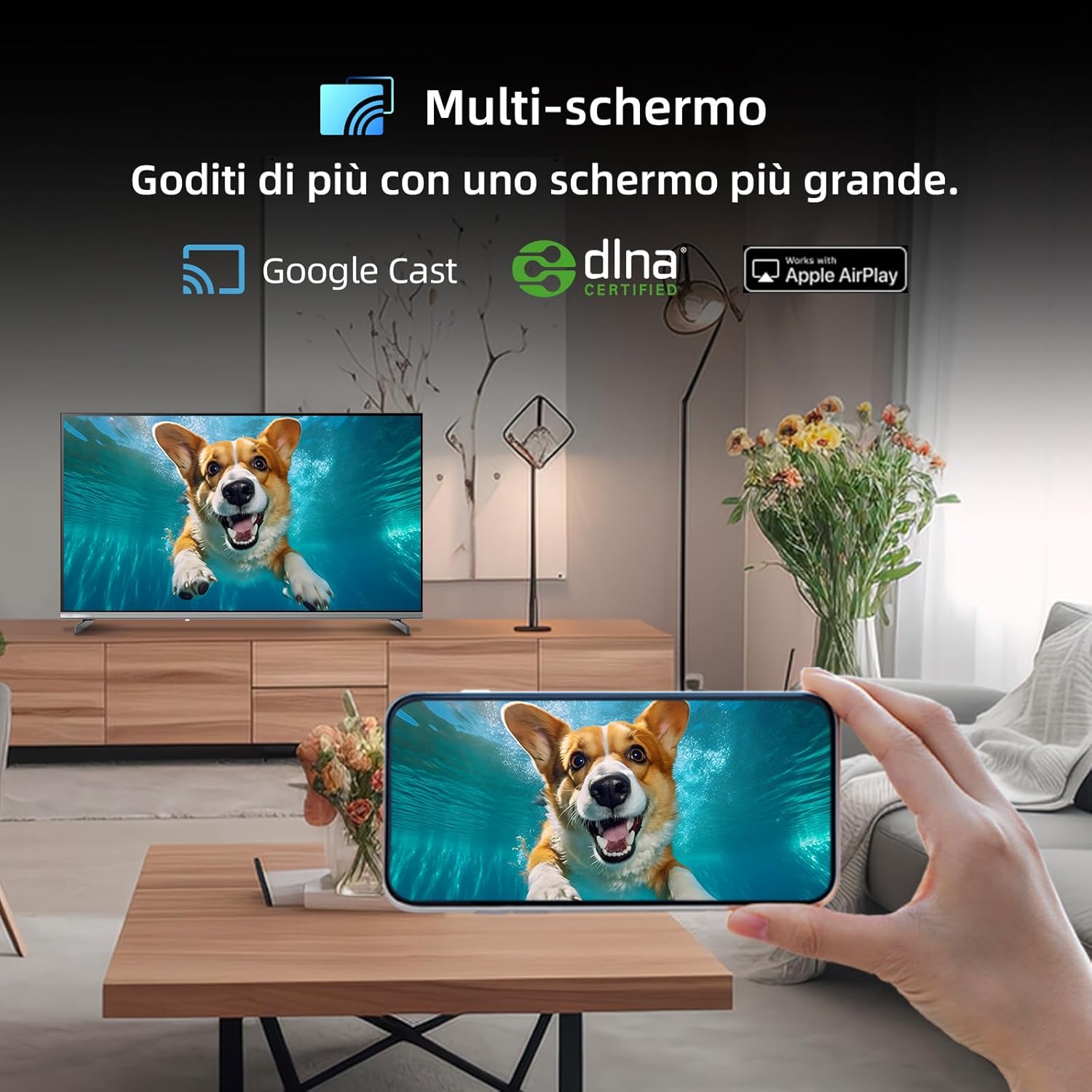
Figure 5.2.1: Multi-screen functionality with Google Cast.
6. Mantenimentu
6.1 Pulizia di u schermu
- Spegne a TV è scollega u cavu di alimentazione.
- Asciugà delicatamente a schermu cù un pannu suave, senza pelucchi.
- Per i segni ostinati, tamponate leggermente.ampSciacquate u pannu cù acqua o un detergente per schermi specializatu. Ùn spruzzate micca u liquidu direttamente nantu à u schermu.
6.2 Pulizia di u Casing
Pulisci a TV casincù un pannu dolce è asciuttu. Evitate l'usu di detergenti abrasivi o solventi.
7. Risoluzione di prublemi
Sè avete prublemi cù u vostru televisore, riferitevi à i seguenti prublemi è suluzioni cumuni:
| Prublemu | Causa Possibile | Soluzione |
|---|---|---|
| Nisun putere | Cavu di alimentazione scollegatu, prublema di presa di corrente | Check power cord connection, try a different outlet. |
| Nisuna imagine, ma u sonu hè presente | Fonte d'entrata sbagliata, cavu difettuosu | Verify input source, check HDMI/AV cable connections. |
| Nisun sonu, ma l'imagine hè presente | Vulume silenziatu, prublema di u sistema audio esternu | Unmute volume, check external audio connections. |
| U cuntrollu remoto ùn funziona micca | Batterie scariche, ostruzzione | Replace batteries, remove obstructions between remote and TV. |
| Smart features slow or unresponsive | Network issue, temporary software glitch | Restart TV, check Wi-Fi connection, update software. |
8. Specificazioni
Detailed technical specifications for the CHiQ 40QA10 QLED TV:
| Feature | Specificazione |
|---|---|
| Mudellu | 40QA10 |
| Size Screen | 40 inch |
| Tecnulugia di visualizazione | QLED, IPS |
| Risoluzione | 1080p Full HD (1920 x 1080) |
| Frequenza di rinfrescante | 60 Hz |
| Supportu HDR | HDR 10 |
| Sistema upirativu | Google TV |
| Tecnulugia Audio | Dolby Audio, dbx-tv |
| Connettività | Wi-Fi (Dual Band), Bluetooth 5.0, Ethernet, HDMI (x3), USB (x2) |
| Tuner Technology | DVB-C/T/T2/S/S2 |
| Funzioni supplementari | Chromecast Built-in, DLNA |
| Cunsumu d'energia | 55 watts |
| Classe di efficienza energetica | E |
| Dimensioni di u produttu (LxPxH) | 89.18 x 7.07 x 50.86 cm (senza stand) |
| Pesu | 5 kg |

Figure 8.1: Energy Efficiency Label. For more details, visit basa di dati EPREL.

Figure 8.2: Detailed Product Information Sheet. For more details, visit basa di dati EPREL.
9. Garanzia è Support
9.1 Garanzia infurmazione
The CHiQ 40QA10 TV typically comes with a manufacturer's warranty. Please refer to the warranty card included with your product for specific terms and conditions, including warranty duration and coverage details. Keep your proof of purchase for warranty claims.
9.2 Assistenza Clienti
For technical assistance, troubleshooting beyond this manual, or warranty service, please contact CHiQ customer support. Contact information can usually be found on the official CHiQ websitu o in a ducumentazione di u vostru pruduttu.
- Produttore: Changhong Europe Electric sro
- Indirizzu: Dělnická 213/12, 17000 Praha 7, Repubblica Ceca
- Websitu: www.chiq.com
- E-mail: info@chiq.com
- Telefonu : + 420233325611


