1. Introduzione
Thank you for choosing the PEICHENG PC-01 Wireless Bluetooth Earphones. These earphones are designed to provide a high-quality audio experience with advanced Bluetooth 6.0 technology, a comfortable over-ear hook design, and a portable charging case. This manual provides detailed instructions for setup, operation, and maintenance to ensure optimal performance and longevity of your device.
2. Ciò chì hè in a scatula
- PEICHENG PC-01 Wireless Bluetooth Earphones (Left and Right)
- Casu di carica
- Manuale d'uso (stu documentu)
3. Produttu Finituview
The PEICHENG PC-01 earphones feature an ergonomic over-ear hook design for a secure and comfortable fit, making them suitable for various activities. They utilize BlueSignal 6.0 technology for stable wireless connections and deliver High-Resolution Audio with deep bass.
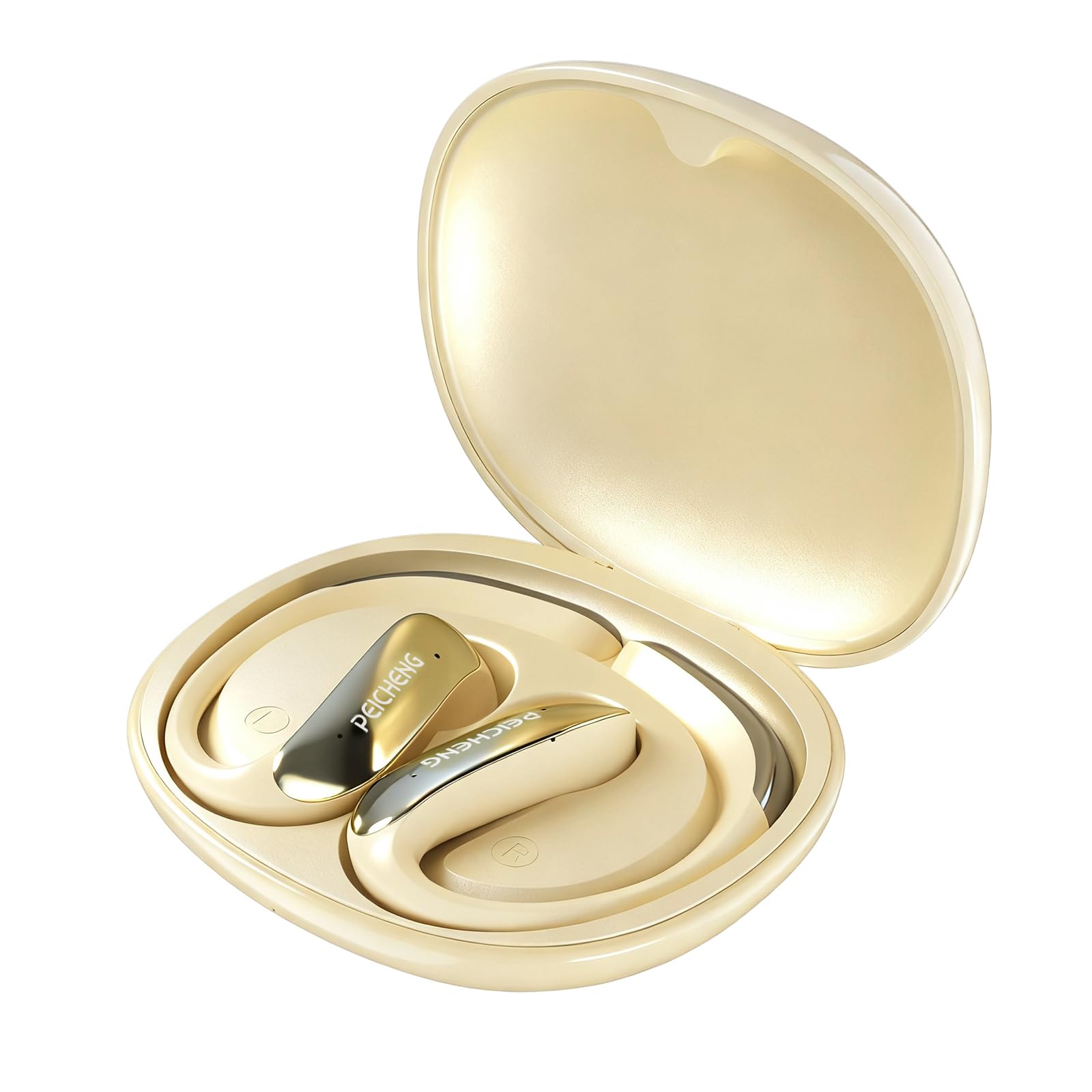
Figure 3.1: PEICHENG PC-01 Wireless Bluetooth Earphones and Charging Case.
Funzioni chjave:
- BlueSignal 6.0 Technology: Ensures stable, faster, and efficient wireless connections with low latency.
- Audio à alta risoluzione: Delivers immersive sound with deep, powerful bass.
- Over-Ear Hook Design: Provides a secure and comfortable fit for extended wear.
- Custruzzione ligera: Enhances comfort and reduces ear fatigue.
- Self-contained Space Audio: Creates an immersive sound experience.
- Clear Calling: Integrated microphones ensure sharp and intelligible conversations.
- Custodia di carica portatile: 300mAh capacity for all-day power.

Figura 3.2: Overview of PEICHENG Wireless Earbuds features.

Figure 3.3: Internal driver design for immersive sound.

Figure 3.4: Compact and portable charging case.
4. Setup
4.1 Caricamentu di l'auricolari è di a custodia
Before first use, fully charge the earphones and charging case. The charging case has a 300mAh battery capacity, providing multiple charges for the earphones.
- Pone l'auricolari in a custodia di carica, assicurendusi ch'elli sianu inseriti currettamente.
- Connect a USB Type-C charging cable to the charging port on the case and plug the other end into a compatible USB power source.
- The indicator lights on the case will show the charging status. A full charge typically takes approximately 2 hours.
4.2 Accoppiamentu Bluetooth
The PEICHENG PC-01 earphones use BlueSignal 6.0 technology for efficient pairing with various devices.
- Assicuratevi chì l'auricolari sianu caricati è piazzati in a custodia di ricarica.
- Open the charging case. The earphones will automatically enter pairing mode, indicated by a flashing LED light (specific color/pattern not provided, assume standard).
- On your device (smartphone, tablet, laptop, smartwatch, TV), go to the Bluetooth settings.
- Cerca available devices and select "PEICHENG PC-01" from the list.
- Once connected, the LED indicator on the earphones will typically stop flashing or change to a solid light.
- L'auricolari si ricunnetteranu automaticamente à l'ultimu dispositivu accoppiatu quandu sò estratti da a custodia, se u Bluetooth hè attivatu nantu à u dispositivu.

Figure 4.1: BlueSignal 6.0 connectivity with various devices.
5. Operating Instructions
The PEICHENG PC-01 earphones feature touch controls for managing audio playback and calls.
5.1 Touch Controls
The touch-sensitive area on each earphone allows for various functions. Specific gestures and their corresponding actions are detailed below:
- Play/Pause: Un toccu unicu nantu à unu di i dui auriculari.
- Prussima pista: Doppiu toccu nantu à l'auriculare drittu.
- Pista Precedente: Doppiu toccu nantu à l'auriculare sinistro.
- Rispondi / Finisce a chjama: Single tap on either earphone during an incoming call.
- Reject Call: Tenite premutu unu di i dui auriculari durante una chjama in entrata.
- Attivà l'Assistente Vocale: Toccate trè volte nantu à unu di i dui auriculari (se u vostru dispositivu hè supportatu).
Note: Volume control is managed directly from your connected device.
5.2 Calling Functionality
The integrated microphones ensure clear communication during calls.
- When a call comes in, tap either earphone once to answer.
- To end an active call, tap either earphone once.
- To reject an incoming call, press and hold either earphone.

Figure 5.1: Earbud in use for clear calling.
5.3 Modi audio
The earphones feature Self-contained Space Audio, designed to provide an immersive listening experience by creating a sense of isolated sound.

Figure 5.2: Self-contained Space Audio feature.
6. Mantenimentu
Una manutenzione adatta garantisce a longevità è e prestazioni di i vostri auricolari.
- Pulizia: Use a soft, dry cloth to clean the earphones and charging case. Avoid using abrasive materials or harsh chemicals.
- Conservazione: Quandu ùn sò micca in usu, conservate l'auricolari in a so custodia di ricarica per prutegeli da a polvere è i danni.
- Esposizione à l'acqua: The earphones are not specified as waterproof. Avoid exposure to water or excessive moisture.
- Temperature : Do not expose the earphones or case to extreme temperatures (hot or cold).
7. Risoluzione di prublemi
If you encounter issues with your PEICHENG PC-01 earphones, refer to the following common solutions:
| Prublemu | Soluzione |
|---|---|
| L'auricolari ùn si accoppianu micca |
|
| Nisun sonu o pocu volume |
|
| Cuffie ùn caricanu micca |
|
| Touch controls unresponsive or delayed |
|
8. Specificazioni
| Feature | Detail |
|---|---|
| Nome di mudellu | PC-01 |
| Marca | PEICHENG |
| Tecnulugia di cunnessione | Wireless, Bluetooth |
| Versione Bluetooth | 6.0 (BlueSignal 6.0) |
| Posizionamentu di l'arechja | Over Ear |
| Fattore di forma | Over Ear |
| Tipu di Driver Audio | Driver dinamicu |
| Impedenza | 15 Ohms |
| Controlu di u rumore | Nimu |
| Funzione speciale | Self-contained Space Audio |
| Metudu di cuntrollu | Tocca |
| Autonomia di a batteria (auricolari) | 5 Ore |
| Capacità di a batteria di u casu di carica | 300 mAh |
| Tempu di carica | Circa 2 ore |
| Interfaccia Hardware | USB Type C |
| Dispositivi compatibles | Smartphones, Notebooks, Tablets, TVs, Smartwatches |
| Materiale | Plastica, Silicone |
| Dimensioni di u produttu | 3.2 x 2.8 x 1.4 inch |
| Pesu di l'articulu | 5 once |
| UPC | 607606229639 |
9. Video ufficiale di u pruduttu
Video 9.1: Un overview of the PEICHENG PC-01 Wireless Bluetooth Earphones, showcasing their design, features, and charging capabilities.
10. Garanzia è Support
For warranty information or technical support, please refer to the documentation included with your purchase or contact PEICHENG customer service through the retailer where the product was purchased. Keep your proof of purchase for warranty claims.


