Introduzione
This manual provides essential information for the proper setup, operation, and maintenance of your Blaupunkt Smart TV 24HCG4000S. Please read these instructions carefully before using your television and retain them for future reference. This 24-inch HD Ready LED TV features Google TV, Wi-Fi, Bluetooth 5.0, multiple HDMI and USB ports, and integrated Chromecast, offering a comprehensive entertainment experience.
Chì ci hè in u Box
Disimballate cù cura a scatula è assicuratevi chì tutti l'articuli seguenti sianu presenti:
- Blaupunkt Smart TV 24HCG4000S
- Control remoto
- Cavu di putenza
- Supportu (2 pezzi)
- Manuale d'uso (stu documentu)
Note: A 12V adapter for vehicle compatibility is not included and must be purchased separately.
Product Overview
The Blaupunkt 24HCG4000S Smart TV is designed for versatile use, offering clear visuals and smart functionalities in a compact form factor.
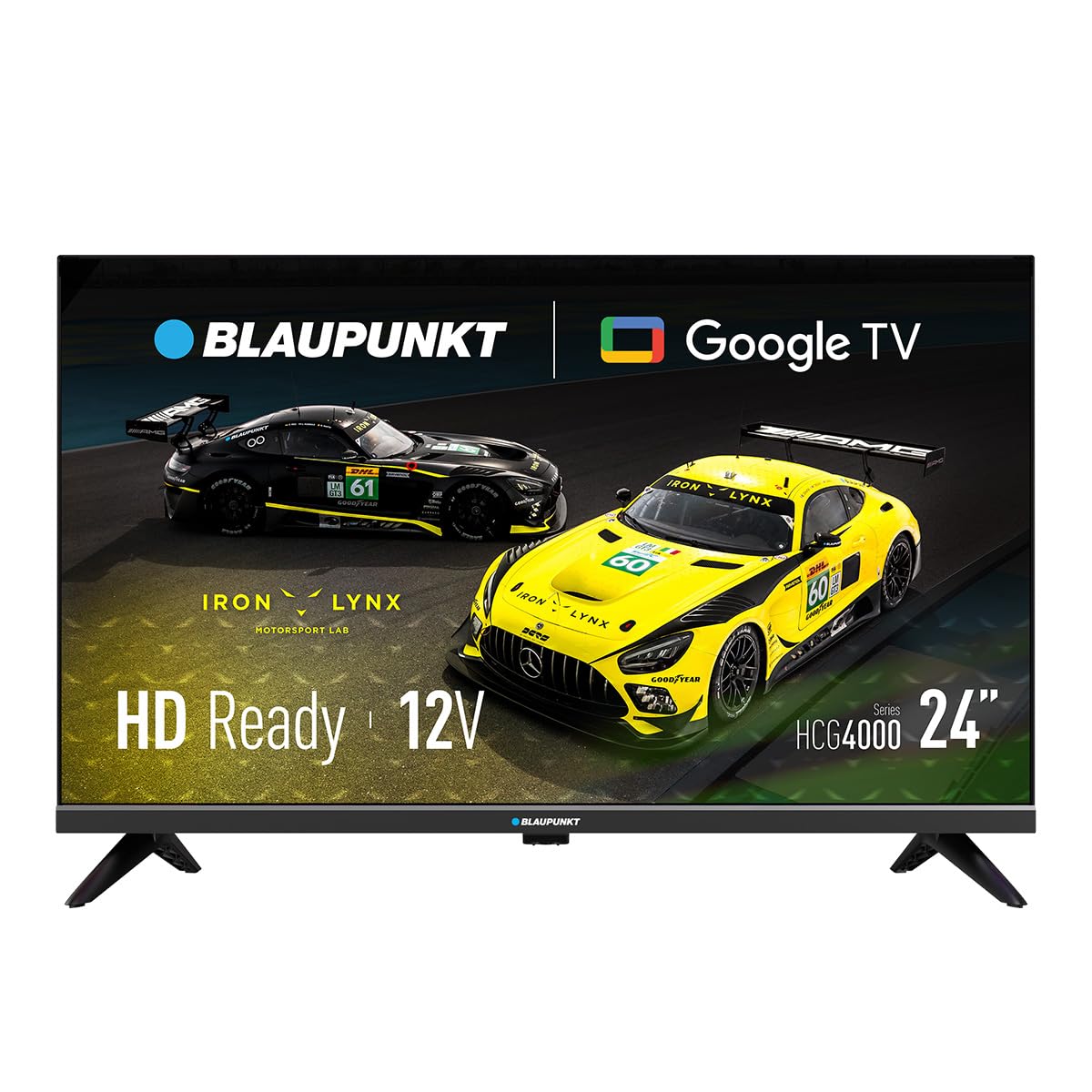
Figura 1: Fronte view of the Blaupunkt 24HCG4000S Smart TV.
E caratteristiche chjave includenu:
- Display: 24-inch HD Ready LED screen (1366 x 768 pixels) with vivid colors and a 178° viewing angulu.
- Funzioni intelligenti: Integrated Google TV platform providing access to popular streaming services like Netflix, YouTube, Disney+, Prime Video, and thousands of other applications.
- Audio: Dolby Audio with 12W output for enhanced sound quality.
- Controlu di voce: Google Assistant for convenient voice commands.
- Casting: Built-in Chromecast for easy content sharing from mobile devices.
- Connettività: Advanced options including WiFi 2T2R, Bluetooth 5.0, 3 HDMI ports, 2 USB ports, RJ45 Ethernet, CI+ slot, and a headphone output.
- Disegnu: Compact and lightweight (2.25 kg) with VESA 200x200 mm support for wall mounting.
- Efficienza energetica: Low power consumption of 17W.

Figura 2: Posteriore view of the TV, highlighting the port layout.

Figura 3: Side view of the TV, showing accessible ports.
Istituisci
1. Attaccà u supportu
- Pone u schermu di a TV cù u schermu in giù nantu à una superficia morbida è piana per impedisce danni.
- Allineate i pezzi di u supportu cù e fessure currispondenti in u fondu di u televisore.
- Secure the stand pieces using the provided screws. Do not overtighten.
2. Connecting Power
Connect the power cable to the TV's power input and then to a wall outlet. The TV is compatible with 12V power sources, but a specific 12V adapter is required and sold separately.
3. Setup iniziale
Upon first power-on, the TV will guide you through the initial setup process, including language selection, network connection (Wi-Fi or Ethernet), and Google TV account setup. Follow the on-screen instructions.
Operazione di a TV
Power On/Off
Press u putenza button on the remote control or on the TV to turn the unit on or off.
Selezzione di input
Aduprà u Input button on the remote to cycle through available input sources (HDMI 1, HDMI 2, HDMI 3, USB, AV, etc.).
Interfaccia di Google TV
Navigate the Google TV interface using the remote control's directional pad and OK button. Access apps, settings, and content recommendations from the home screen.
Assistant vocale
Press u Google Assistant button on your remote control and speak into the microphone to search for content, control smart home devices, or get information.
Connettività
Your Blaupunkt Smart TV offers a range of connectivity options:
- Wi-Fi (2T2R): Cunnette vi à a vostra rete wireless domestica per accede à Internet è funzioni intelligenti.
- Bluetooth 5.0: Pair with compatible Bluetooth devices such as headphones, soundbars, or game controllers.
- HDMI (x3): Connect external devices like gaming consoles, Blu-ray players, or set-top boxes. One HDMI port supports ARC (Audio Return Channel).
- USB (x2): Riproduce media files from USB storage devices or power compatible accessories.
- RJ45 (Ethernet): Per una cunnessione internet cablata stabile.
- Slot CI+: For conditional access modules (CAM) to decrypt encrypted digital TV channels.
- Output per cuffie: Cunnette cuffie per l'ascolta privata.
- S/PDIF (Optical Audio Output): Per a cunnessione à sistemi audio esterni.
Video 1: Finituview of a 24-inch television, demonstrating its features and connectivity options. This video provides a visual guide to the product's design and functionality.
Mantenimentu
Pulizia di u Screen
Asciugate delicatamente u schermu cù un pannu dolce è senza pelu. Per e macchie ostinate, asciugate leggermente.ampSciacquate u pannu cù acqua o un detergente per schermi specializatu. Ùn spruzzate mai liquidu direttamente nantu à u schermu.
Pulizia di u Cabinet
Asciugate u mobile di a TV cù un pannu dolce è asciuttu. Evitate l'usu di detergenti abrasivi o solventi.
Ventilazione
Ensure proper ventilation around the TV. Do not block the ventilation openings on the back or sides of the TV. Allow sufficient space for air circulation.
Risoluzione di prublemi
Sè avete prublemi cù u vostru televisore, riferitevi à e seguenti suluzioni cumuni:
- Nisun putere: Verificate s'ellu u cavu di alimentazione hè cunnessu currettamente à u televisore è à a presa murale. Assicuratevi chì a presa funziona.
- Nisuna imagine/sonu: Verificate chì a fonte d'entrata curretta sia selezziunata. Verificate tutti i cunnessione di i cavi (HDMI, AV, ecc.) per se sò allentate.
- U cuntrollu remoto ùn funziona micca: Rimpiazzate e batterie di u telecomandu. Assicuratevi chì ùn ci sia micca ostaculi trà u telecomandu è u sensore IR di u televisore.
- Problemi di cunnessione Wi-Fi: Restart your router and the TV. Check your Wi-Fi password. Ensure the TV is within range of your Wi-Fi network.
- Smart App Problems: Try restarting the app or clearing its cache in the TV settings. Ensure your TV's software is up to date.
If the problem persists, consult the Blaupunkt support websitu o cuntattate u serviziu di u cliente.
Specificazioni
| Feature | Specificazione |
|---|---|
| Marca | Blaupunkt |
| Nome di mudellu | 24HCG4000S |
| Size Display | 24 inch |
| Tecnulugia di visualizazione | LED |
| Risoluzione | HD Ready (1366 x 768 pixel) |
| Frequenza di rinfrescante | 60 Hz |
| Sistema upirativu | Google TV |
| Output audio | 12W (Dolby Audio) |
| Connettività | WiFi 2T2R, Bluetooth 5.0, 3x HDMI, 2x USB, RJ45, CI+ |
| Funzioni spiciali | Built-in Speaker, Chromecast, Parental Control, Game Mode |
| Cumpatibilità di Muntamentu | VESA 200x200 mm |
| Dimensioni di u produttu | 15.6 x 53.6 x 36 cm |
| Pesu di u produttu | 2.25 kg |
| Cunsumu d'energia | 17 W |
| 12V Compatibility | Iè (adattatore micca inclusu) |
Garanzia è Supportu
Your Blaupunkt Smart TV 24HCG4000S comes with a standard manufacturer's warranty. Please refer to the warranty card included in your product packaging for specific terms and conditions, including the warranty period and coverage details.
For technical support, troubleshooting assistance, or warranty claims, please visit the official Blaupunkt support websitu o cuntattate u so serviziu clienti. L'infurmazioni di cuntattu si trovanu tipicamente nantu à u situ di u fabricatore. websitu o in a documentazione di u produttu.
Always ensure you have your product model number (24HCG4000S) and serial number ready when contacting support.


