1. Introduzione
Grazie per l'acquistuasing the LG 43 inch UHD AI UA73 4K Smart TV. This television combines stunning 4K Ultra High Definition visuals with advanced Artificial Intelligence features and the intuitive webOS25 platform. Enjoy vibrant colors, sharp details, and smart functionalities including AI-powered search and voice control. This manual provides essential information for setting up, operating, and maintaining your new television.
2. Informazioni di sicurezza
Leghjite attentamente tutte l'istruzzioni di sicurezza prima di utilizà u vostru televisore. Cunservate stu manuale per riferimenti futuri.
2.1 Sicurezza elettrica
- Ùn sovraccaricate e prese murali o i cordoni di estensione.
- Assicuratevi chì u cavu di alimentazione sia ben inseritu in u televisore è in a presa murale.
- Ùn toccate micca u plug di alimentazione cù e mani bagnate.
2.2 Placement
- Place the TV on a stable, level surface or mount it securely to a wall using a compatible VESA mount.
- Assicuratevi una ventilazione adatta intornu à u televisore per impedisce u surriscaldamentu.
- Keep the TV away from direct sunlight, heat sources, and moisture.
2.3 Pulizia
- Scollegate a TV prima di pulisce.
- Use a soft, dry cloth to clean the screen and exterior. Do not use liquid cleaners or sprays directly on the TV.
3. Cuntenutu di u pacchettu
Verificate chì tutti l'articuli sò prisenti in a scatula:
- LG 43 inch UHD AI 4K Smart TV (Model 43UA73006LA)
- AI Magic Remote Control
- Cordone d'alimentazione
- Supportu TV (2 pezzi) è viti
- User Manual and Regulatory Information
- Batterie per u telecomandu (AA x 2)
4. Setup
4.1 Disimballaggio è installazione di u stand
- Eliminate cù cura u televisore da u so imballaggio. Hè cunsigliatu di avè duie persone per questu passu.
- Pone u schermu di a TV cù u schermu in giù nantu à una superficia morbida è piana per impedisce danni.
- Attach the stand pieces to the TV using the provided screws, ensuring they are securely fastened. Refer to the diagram in the quick setup guide for specific screw locations.
- Alternatively, if wall-mounting, follow the instructions provided with your VESA-compatible wall mount kit.
4.2 Cunnessu periferiche
Connect external devices such as Blu-ray players, game consoles, or soundbars to the appropriate ports on the back of the TV.
- Porti HDMI: Per video è audio in alta definizione.
- Porti USB: Per cunnette dispositivi di almacenamiento USB.
- Ingressu Antenna/Cavu: Per cunnette un'antenna o una TV via cavo.
- Uscita audio digitale ottica: Per cunnette si à una soundbar o à un ricevitore audio.
4.3 Accensione iniziale è cunnessione di rete
- Inserite u cavu di alimentazione in u televisore è dopu in una presa murale.
- Appughjà u buttone d'accensione di u telecomandu o di a TV.
- Follow the on-screen instructions for the initial setup wizard. This will guide you through language selection, time zone, and network connection.
- Selezziunate a vostra rete Wi-Fi è inserite a password, o cunnette un cavu Ethernet per una cunnessione cablata.
5. Operazione
5.1 AI Magic Remote Control
The AI Magic Remote allows for intuitive control of your TV, including point-and-click navigation and voice commands.
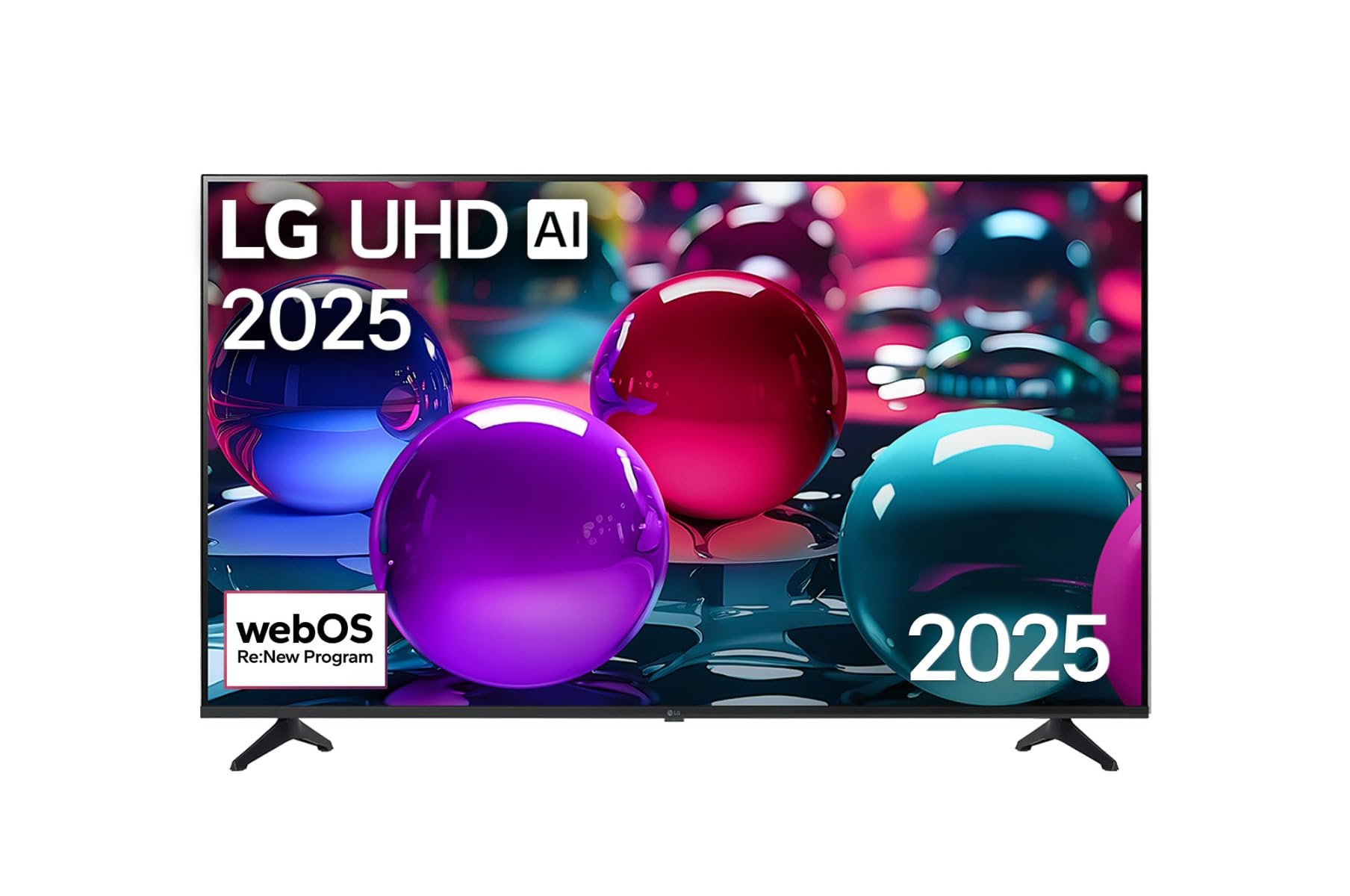
This image displays the LG 43 inch UHD AI 4K Smart TV, highlighting its webOS Re:New Program and Artificial Intelligence features. The accompanying AI Magic Remote is shown with a speech bubble indicating 'Just speak!', emphasizing its voice control capabilities.
- Pulsante di putenza: Accende o spegne a TV.
- Scroll Wheel/OK Button: Naviga i menu è cunfirma e selezioni.
- Buttone di cumanda vocale: Press and hold to activate AI Search, AI Chatbot, or AI Concierge. Speak your command into the remote.
- Pulsante Home: Accessu à u webSchermata iniziale di u sistema operatore.
- Pulsante Back: Ritorna à u screnu precedente.
- Volume su / giù: Ajuste u voluminu.
- Canale su / giù: Cambia i canali.
5.2 webInterfaccia di u sistema operativu
U webOS Home screen provides quick access to apps, inputs, and settings. Use the Magic Remote to point and click on desired options or navigate with the directional buttons.
- App Launcher: Customize and access your favorite streaming services and applications.
- Selettore di Ingressu: Switch between HDMI inputs, USB, or live TV.
- Settings: Adjust picture, sound, network, and general TV settings.
5.3 Funzioni di l'IA
Leverage the power of AI for enhanced TV experience:
- Ricerca IA: Use voice commands to find content, information, or apps quickly.
- Chatbot cù IA: Interact with the TV for assistance or information.
- Concierge AI: Receive personalized content recommendations and smart home integration.
6. Mantenimentu
6.1 Pulizia di a vostra TV
Per mantene l'aspettu è e prestazioni di u televisore:
- Scollegate sempre u televisore prima di pulisce.
- Aduprate un pannu dolce è senza pelu per asciugà delicatamente u schermu. Per e macchie ostinate, asciugate leggermente.ampAsciugate u pannu cù acqua, poi asciugate subitu.
- Pulite a struttura è u supportu di a TV cù un pannu dolce è asciuttu.
- Do not use abrasive cleaners, alcohol, benzene, or thinners, as these can damage the screen or finish.
6.2 Actualizazioni di u Software
Your LG Smart TV periodically receives software updates to improve performance and add new features. Ensure your TV is connected to the internet to receive these updates automatically. You can also manually check for updates in the TV's settings menu.
7. Risoluzione di prublemi
Sè avete prublemi cù u vostru televisore, riferitevi à e seguenti suluzioni cumuni:
| Prublemu | Soluzione Possibile |
|---|---|
| Nisun putere | Check if the power cord is securely plugged in. Try a different power outlet. |
| Nisuna imagine, ma u sonu hè presente | Assicuratevi chì a fonte d'entrata curretta sia selezziunata. Verificate e cunnessione di i cavi à i dispositivi esterni. |
| Nisun sonu, ma l'imagine hè presente | Check volume levels and mute settings. Verify audio output settings in the TV menu. |
| U cuntrollu remoto ùn funziona micca | Replace batteries. Ensure there are no obstructions between the remote and the TV. Re-pair the Magic Remote if necessary (refer to TV settings). |
| Ùn pò micca cunnette à Wi-Fi | Restart your router and modem. Check Wi-Fi password. Ensure the TV is within range of the router. |
| Prublemi di qualità di l'imagine (per esempiu, sfocata, distorta) | Check the resolution of the input source. Adjust picture settings in the TV menu. |
If the problem persists, please contact LG customer support.
8. Specificazioni
| Feature | Detail |
|---|---|
| Marca | LG |
| Nome di mudellu | 43UA73006LA |
| Size Screen | 43 inch |
| Tecnulugia di visualizazione | LED |
| Risoluzione | 4K UHD (3840 x 2160) |
| Rapportu d'aspettu | 16: 9 |
| Sistema upirativu | webOS 25 |
| Funzioni spiciali | AI Processor, AI Magic Remote, HDR10, Sleep Timer |
| Culore | Neru |
| Pesu di l'articulu | 6.8 kilogrammi (14.96 liri) |
| Dimensioni di u produttu | 37.68 x 37.68 x 21.97 inch |
| Data Prima Disponibile | 28 nuvembre 2025 |
9. Garanzia è Supportu
9.1 Garanzia di u Produttu
Your LG 43 inch UHD AI UA73 4K Smart TV is covered by a limited manufacturer's warranty. Please refer to the warranty card included in your package for specific terms, conditions, and duration of coverage. Keep your proof of purchase for warranty claims.
9.2 Assistenza Clienti
For technical assistance, troubleshooting beyond this manual, or warranty service, please contact LG Customer Support:
- Websitu: Visita u supportu ufficiale LG websitu per FAQ, scaricamenti è richieste di serviziu.
- Telefonu: Refer to your warranty card or LG's official websitu per i numeri di cuntattu regiunale.