Introduzione
This instruction manual provides essential information for the safe and efficient operation of your Skyworth 60Q6600H 60-Inch QLED+ 4K Google TV. Please read this manual thoroughly before using the television and retain it for future reference. It covers setup, operation, maintenance, and troubleshooting to ensure you get the best experience from your new TV.
Importante infurmazione di sicurezza
To reduce the risk of electric shock, fire, or damage, always follow these basic safety precautions:
- Fonte di energia: Cunnette u televisore solu à una fonte di alimentazione AC 100-240V, 50/60Hz.
- Ventilazione: Ensure adequate ventilation. Do not block ventilation openings. Maintain a minimum distance of 10 cm (4 inches) around the TV for proper airflow.
- L'acqua è l'umidità: Ùn espone micca u televisore à a pioggia o à l'umidità. Ùn mette micca oggetti pieni di liquidi, cum'è vasi, nantu à u televisore.
- Fonti di calore: Keep the TV away from heat sources like radiators, heat registers, stoves, or other apparatus (including amplifiers) chì producenu calore.
- Pulizia: Scollegate u televisore da a presa murale prima di pulisce. Aduprate un pannu dolce è asciuttu. Ùn aduprate micca detergenti liquidi o detergenti aerosol.
- Service : Ùn circate micca di serviziu stu pruduttu voi stessu. Cunsultate tutti i servizii à u persunale di serviziu qualificatu.
- I zitelli: Survegliate i zitelli per assicurà chì ùn ghjocanu micca cù a televisione.
Cuntenutu di u pacchettu
Verificate chì tutti l'articuli elencati quì sottu sò inclusi in u vostru pacchettu:
- Skyworth 60Q6600H 60-Inch QLED+ 4K Google TV
- Control remoto
- TV Stand (Base)
- Manuale d'uso (Stu documentu)
- Carta di garanzia
- Cordone d'alimentazione
- Viti per u montaggio di u supportu
Guida di installazione
1. Disimballà u televisore
Carefully remove the TV from its packaging. It is recommended to have two people for this process due to the size and weight of the television. Place the TV face down on a soft, flat surface (like a blanket or foam) to prevent screen damage during stand installation.
2. Attaccà u supportu
Sè ùn muntate micca u televisore à u muru, attaccate u supportu inclusu:
- Allineate e basi di u supportu cù e fessure currispondenti in fondu à u televisore.
- Secure each stand base with the provided screws using a screwdriver. Ensure the stands are firmly attached.
- Alzate cù cura u televisore in pusizione verticale è piazzatelu nantu à una superficia stabile è piana.
Montatura à u muru: The Skyworth 60Q6600H is wall-mountable. If you choose to wall-mount, please refer to the instructions provided with your wall-mount bracket (sold separately) and ensure professional installation for safety.
3. Cunnessu Peripherals
Cunnette i vostri dispusitivi esterni à i porti di a TV. A TV hà parechje opzioni di cunnessione:
- HDMI (HDMI 2.1): Per i dispusitivi d'alta definizione cum'è i lettori Blu-ray, e console di ghjocu è i set-top box.
- USB: Per cunnette i dispositivi di almacenamentu USB per riproduce media files.
- LAN (Ethernet): Per una cunnessione internet cablata.
- Ingressu Antenna/Cavu: Per cunnette un segnale antenna o TV via cavo.
- Output audio: Per cunnette sistemi audio esterni.
4. Accensione iniziale è prima cunfigurazione
- Cunnette u cavu di alimentazione à u televisore è dopu à una presa murale.
- Appughjà u buttone di accensione nantu à u telecomandu o nantu à a TV stessa.
- Segui l'istruzzioni nantu à u screnu per compie a cunfigurazione iniziale, chì include:
- Scelta di a lingua.
- Connecting to a Wi-Fi network (or using a wired LAN connection).
- Signing in with your Google account to access Google TV features, apps, and Google Assistant.
- Scanning for available TV channels (if using an antenna).
Funziunamentu di u vostru televisore
1. Funzioni Control Remote
The included remote control allows you to navigate the TV's interface and control various functions. Familiarize yourself with the buttons for power, volume, channel, input selection, Google Assistant, and app shortcuts.
2. Navigating Google TV Interface
Google TV organizes your content from various streaming services and live TV into a personalized home screen. Use the directional pad and OK button on your remote to browse recommendations, access your apps, and manage settings.
3. Using Smart Features
- Google Assistant: Press the Google Assistant button on your remote and speak into the microphone to search for content, control smart home devices, get answers, and more.
- Chromecast integratu: Cast content (videos, photos, music) directly from your compatible smartphone, tablet, or computer to the TV. Look for the Cast icon in supported apps.
- Apps: Access pre-installed apps like Netflix, YouTube, and Prime Video. Download thousands more from the Google Play Store.
4. Settings Picture
Your Skyworth 60Q6600H features advanced display technologies. Adjust picture settings via the TV's menu to optimize your viewsperienza.
- QLED+ Display: Enjoy vibrant colors and enhanced brightness.
- HDR10+: Provides superior contrast and color accuracy for compatible content.
- Eye Care 5.0: Reduces blue light emission to minimize eye strain during prolonged viewing.
- 120Hz Turbo Motion & MEMC: Enhances motion clarity, reducing blur and judder in fast-paced scenes.
- Film Maker Mode: Preserves the original aspect ratio, colors, and frame rates of films as intended by the director.
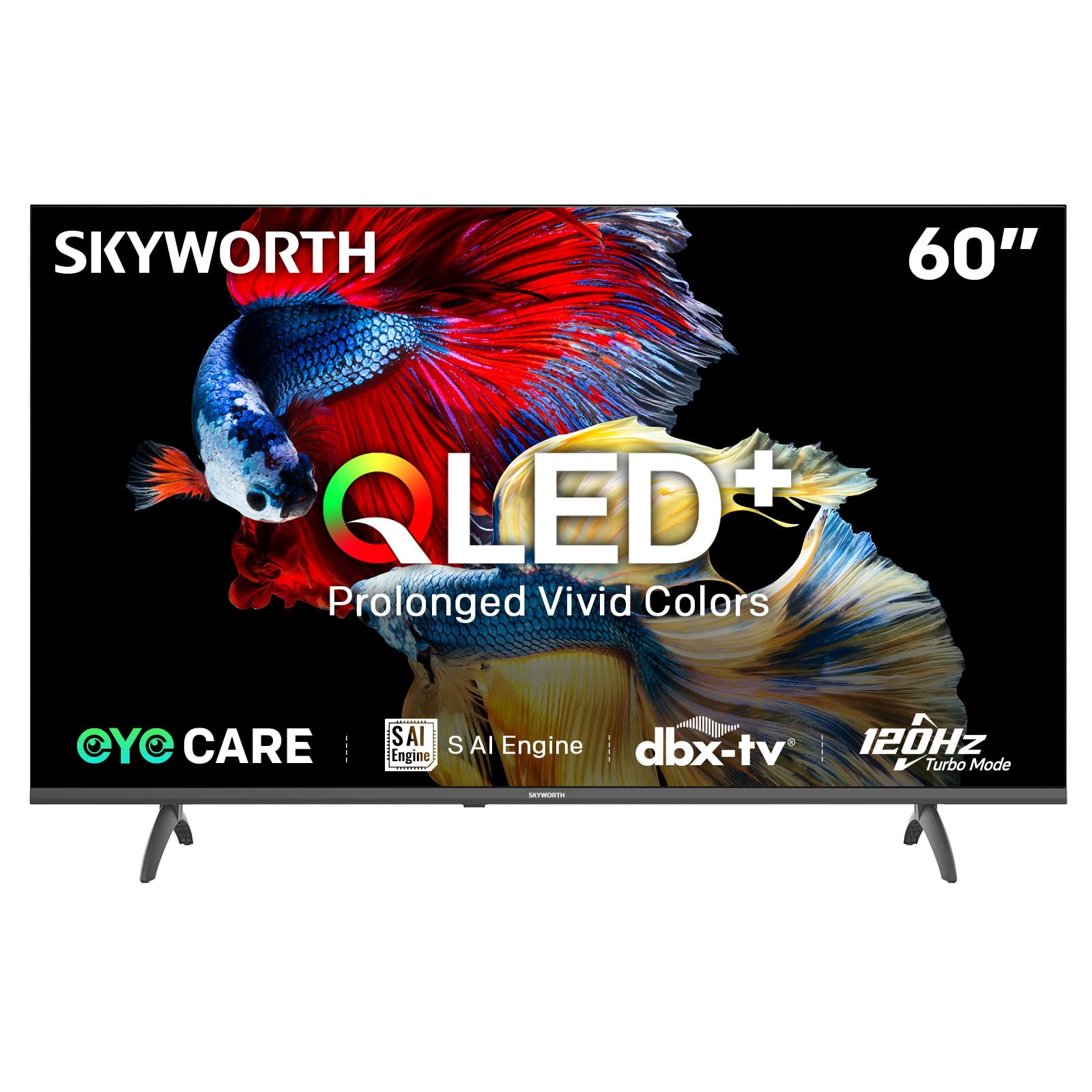
Image: A diagram illustrating the "No-Fading Extended Watching" feature, comparing Skyworth's stable and eco-friendly quantum dot performance over 10 years against conventional quantum dots.

Image: A graphic explaining the QLED+ technology, emphasizing its vivid, eco-friendly, brilliant, and prolonged color performance.

Image: An illustration of the 120Hz Turbo Motion feature, depicting a motocross rider with multiple frames to show enhanced motion clarity compared to 60Hz.
5. Impostazioni di u sonu
The TV is equipped with 2x15W speakers and supports Dolby Digital/DBX audio processing for clear and powerful sound. Adjust sound modes (e.g., Standard, Music, Movie) and equalizer settings in the audio menu.

Image: A visual highlighting Skyworth's collaboration with Total Sonics for enhanced audio quality, featuring a sound wave graphic and a person associated with audio engineering.
6. Modu di ghjocu
Activate Game Mode for reduced input lag and optimized picture settings when connecting gaming consoles, providing a more responsive gaming experience.
7. DVB-T2 Tuner
The integrated DVB-T2 tuner allows you to receive digital terrestrial television broadcasts. Perform a channel scan in the TV settings to find available channels.
Mantenimentu
1. Pulizia di a TV
- Screen: Asciugate delicatamente u schermu cù un pannu dolce è senza pelu. Per e macchie ostinate, asciugate leggermente.ampSciacquate u pannu cù acqua o un detergente per schermi specializatu (assicuratevi chì sia sicuru per i schermi TV) è asciugate delicatamente. Ùn spruzzate mai liquidu direttamente nantu à u schermu.
- Corpu di TV: Aduprate un pannu dolce è asciuttu per asciugà a polvera da u quadru è u supportu di u televisore.
- Impurtante: Scollegate sempre u televisore da a presa di corrente prima di pulisce.
2. Updates Software
Your Google TV may receive automatic software updates to improve performance and add new features. Ensure your TV is connected to the internet for these updates. You can also manually check for updates in the TV's settings menu.
3. Storage è Manipulazione
If storing the TV for an extended period, keep it in a cool, dry place, preferably in its original packaging. When moving the TV, always lift it with at least two people and avoid putting pressure on the screen.
Risoluzione di prublemi
Prima di cuntattà l'assistenza clienti, pruvate e seguenti suluzioni per i prublemi cumuni:
| Prublemu | Soluzione Possibile |
|---|---|
| Nisun putere |
|
| Nisuna imagine, ma u sonu hè presente |
|
| Nisun sonu, ma l'imagine hè presente |
|
| U cuntrollu remoto ùn funziona micca |
|
| Problemi di cunnessione di a rete |
|
Reset di fabbrica
If problems persist, a factory reset may resolve them. This will erase all personal settings and installed apps, returning the TV to its original factory state. Navigate to Settings > System > About > Reset > Factory data reset è cunfirmà a vostra scelta.
Specificazioni
Detailed technical specifications for the Skyworth 60Q6600H TV:
| Feature | Detail |
|---|---|
| Mudellu | 60Q6600H |
| Size Display | 60 inch |
| Tecnulugia di visualizazione | QLED+ |
| Risoluzione | 3840 x 2160 (4K UHD) |
| Frequenza di rinfrescante | 120Hz Turbo Motion |
| Supportu HDR | HDR10+ |
| Luminosità | 300 nits |
| Gamma di culori | 90% DCI-P3 |
| Tecnulugia di cura di l'ochji | Eye Care 5.0 |
| Sistema upirativu | Google TV |
| Output audio | 2 x 15W altoparlanti |
| Tecnulugia Audio | Dolby Digital, DBX |
| Connettività | HDMI 2.1, USB, LAN, Bluetooth 5.1, Dual-band WiFi |
| Tuner | DVB-T2 |
| Dimensioni di u produttu (cù u supportu) | 134.5L x 29.9P x 85.8A cm |
| Dimensioni di u produttu (senza supportu) | 134.5L x 8.8P x 78.5A cm |
| Pesu (cù stand) | 15.9 kg |
| Pesu (senza stand) | 12.1 kg |

Image: A detailed diagram illustrating the width, depth, and height dimensions of the Skyworth Q6600H 60-inch TV, both with and without its stand.
Garanzia è Supportu
Infurmazioni di Garanzia
Your Skyworth 60Q6600H TV comes with a Garanzia di u fabricatore di 3 annu. This warranty covers defects in materials and workmanship under normal use. Please retain your proof of purchase for warranty claims. For full terms and conditions, refer to the included Warranty Card.
Spare part availability information is not available or provided.
Assistenza Clienti
If you encounter issues that cannot be resolved using the troubleshooting guide, or for any other inquiries, please contact Skyworth customer support. Refer to your Warranty Card or the official Skyworth websitu per l'infurmazioni di cuntattu più recenti.
Risorse in linea: Visit the official Skyworth websitu per FAQ, scaricamenti di software è risorse di supportu supplementari.


