Introduzione
The Avantree Aura Loop is a next-generation wireless TV listening system designed to provide clear audio for television viewing. Powered by Auracast technology, it allows for shared listening with compatible earbuds and Auracast-enabled hearing aids. This system is specifically designed for Auracast devices and is not compatible with regular Bluetooth headphones or speakers. The included charging dock also functions as a transmitter, offering versatile connectivity options for your TV.
Product Overview
The Avantree Aura Loop system includes the wireless earbuds and a transmitter that doubles as a charging dock. The earbuds and transmitter come pre-paired from the factory for immediate use.
Cumpunenti inclusi
- Bluetooth Headphones & Transmitter / Charging Dock
- Fibre Otticu Cable
- Cavu di Carica Type-C
- Cavu Audio 3.5mm AUX
- Cavo AUX à RCA
Transmitter / Charging Dock Features
The transmitter unit serves multiple functions, including charging the earbuds and connecting to your TV.
- Switch di Potenza: Located on the front for turning the unit on/off.
- Funzione di carica: The dock charges the earbuds when placed correctly. A red light indicates charging.
- Codec Indicator: Displays the audio codec in use.
- Audio Signal Indicators: Lights for AUX and OPT (Optical) indicate a valid audio signal.
- Porti di Output Audio: OPT OUT, AUX OUT for connecting to external speakers.
- Porte d'entrata audio: OPT IN, AUX IN, Mic IN for connecting to your TV.
- Portu di Potenza: DC IN (USB-C) for power supply.
- Input Mode Switch: Allows selection between OPT, AUX, and Mic input modes.
- Pulsante di serratura: Used only if headphones become unpaired (refer to troubleshooting).
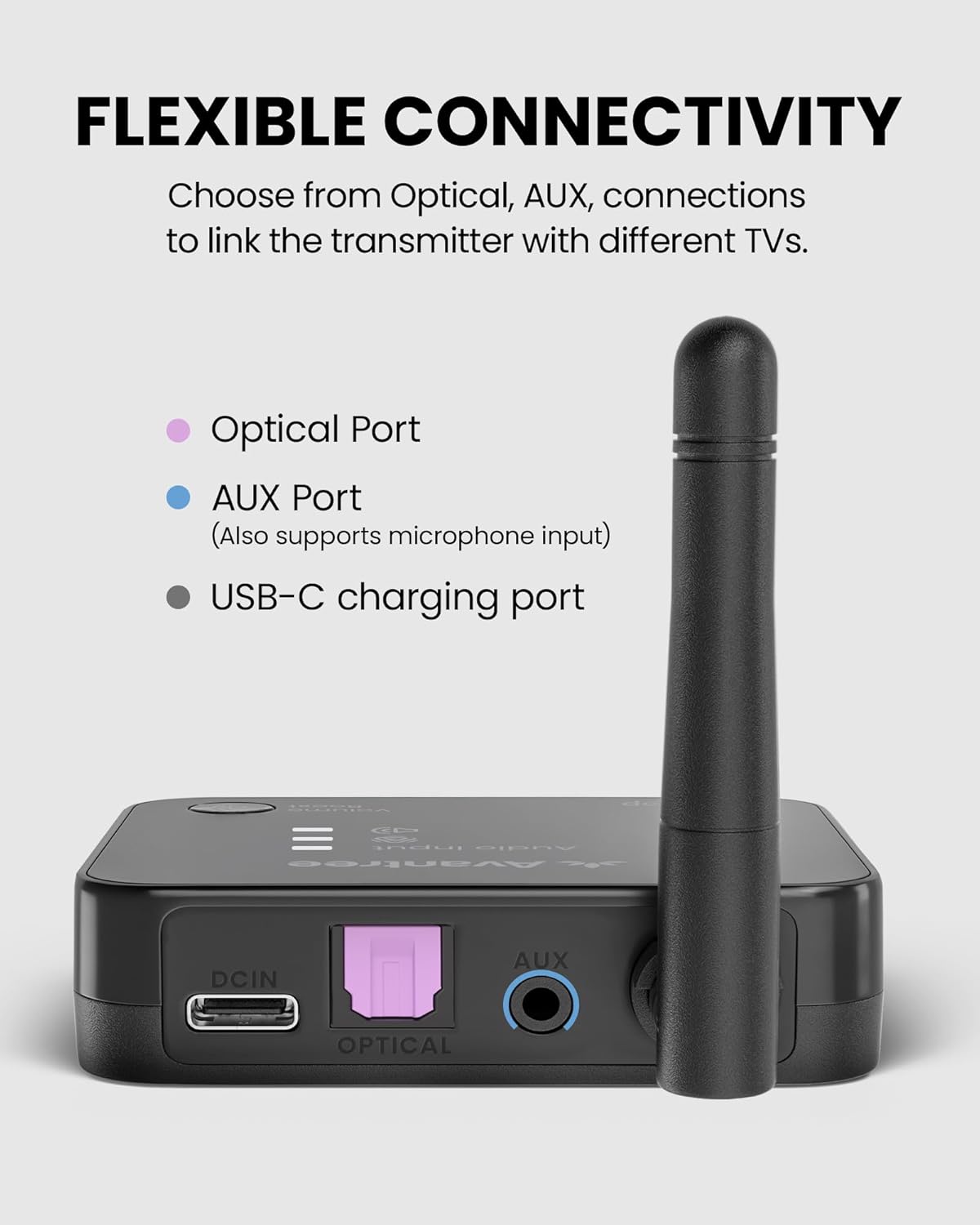
Imagine: Daretu view of the Avantree Aura Loop transmitter showing various input and output ports.
Caratteristiche di l'auricolari
- Power Off/On/Pairing Switch: Controls earbud power and pairing mode.
- Power/Charging/Connection Indicator: Provides status updates.
- Equalizer Mode Select: Choose from three EQ modes, including Voice Clear.
- Portu di carica: Porta USB-C per a carica diretta.
- Charging Contacting Points: For charging via the dock.
- Volume/Track Skip Control: Ajuste u voluminu è saltate tracce.
- Buttone Play/Pausa/Chjama: Controls media playback and calls.

Image: Close-up of the Avantree Aura Loop earbuds showing inline controls and charging port.
Video: An unboxing video of the Avantree Aura Loop Auracast Wireless TV Earbuds, demonstrating the contents and initial appearance of the product.
Istituisci
1. Accensione
- Power on the earbuds using the Power Off/On/Pairing switch.
- Connect the transmitter to a power source using the provided Type-C cable and a 5V/1A wall plug (adapter not included).
- Flip the power switch on the transmitter to 'ON'.
- Once connected, the indicators on both the earbuds and transmitter will turn solid blue.
2. Connecting to Your TV
The Avantree Aura Loop offers three primary ways to connect to your TV: Optical, AUX (3.5mm), and RCA. Choose the option that matches your TV's available audio output ports.
Cunnessione ottica
- Connect one end of the Optical Fiber Cable to the OPT IN port on the transmitter (Input From TV section).
- Connect the other end of the Optical Fiber Cable to your TV's OPTICAL DIGITAL AUDIO OUT port.
- Set the Input Mode Switch on the transmitter to 'OPT'.
- On your TV's sound settings, ensure the audio output is set to 'Optical' and the sound format is 'PCM' (or Stereo). Avoid 'Auto' or 'Dolby' formats.
AUX (3.5mm) Connection
- Connect one end of the 3.5mm AUX Audio Cable to the AUX IN port on the transmitter (Input From TV section).
- Connect the other end of the 3.5mm AUX Audio Cable to your TV's HEADPHONE OUT or AUX OUT port.
- Set the Input Mode Switch on the transmitter to 'AUX'.
- On your TV's sound settings, ensure the audio output is set to 'Headset' or 'External Speaker'.
Cunnessione RCA
- Attach the AUX to RCA Cable to the 3.5mm AUX Audio Cable.
- Connect the 3.5mm end to the AUX IN port on the transmitter (Input From TV section).
- Connect the red and white RCA plugs to your TV's AUDIO OUT (red and white) ports.
- Set the Input Mode Switch on the transmitter to 'AUX'.
- On your TV's sound settings, ensure the audio output is set to 'External Speaker'.
Video: A detailed guide on how to set up and connect Avantree wireless headphones to a TV using various audio connections like Optical, AUX, and RCA.
Istruzzioni di funziunamentu
Using with External TV Speaker (Soundbar / AV Receiver)
The Avantree Aura Loop transmitter can pass through audio to an external soundbar or AV receiver, allowing simultaneous listening through both the headphones and your external speakers. Ensure you use the same connection type (Optical or AUX) for both the TV input to the transmitter and the output from the transmitter to your external speaker.
- If your TV is connected to the transmitter via Optical, connect the OPT OUT port on the transmitter to your soundbar/AV receiver's Optical input.
- If your TV is connected to the transmitter via AUX, connect the AUX OUT port on the transmitter to your soundbar/AV receiver's AUX input.
Aghjunghjendu una seconda coppia di cuffie
The Auracast technology allows for one-to-many connections, meaning you can add a second pair of compatible Auracast headphones to the same transmitter for shared listening.
- Ensure the first pair of headphones is already connected and working.
- Put the second pair of compatible Auracast headphones into pairing mode (refer to the second headphone's user manual for specific instructions).
- On the Avantree Aura Loop transmitter, press and hold the pairing button (usually indicated by a '2' or a headphone icon) until its indicator light starts flashing red and blue.
- The second pair of headphones should connect automatically within a few seconds. Once connected, their indicator lights will turn solid blue.
Using Headphones with a Cellphone
The earbuds can also be used independently with a cellphone via Bluetooth. Note that the earbuds prioritize connection to the transmitter.
- Turn off the Avantree Aura Loop transmitter.
- Accende l'auriculare.
- Press and hold the Power Off/On/Pairing switch on the earbuds until the indicator light flashes red and blue (pairing mode).
- On your cellphone, go to Bluetooth settings.
- Cerca and select 'Avantree Aura Loop' (or similar model name) to connect.
- Once connected, you can listen to music and take calls.
Carica
The Avantree Aura Loop earbuds can be charged using the charging dock or directly via a USB-C cable.
Charging with the Dock
- Assicuratevi chì a stazione di carica sia cunnessa à una fonte di alimentazione.
- Place the earbuds onto the charging dock, ensuring the metal pins align correctly.
- The indicator light on the dock will turn red while charging and blue when fully charged.
- A full charge takes approximately 2.5 hours and provides up to 24 hours of battery life.
Direct Charging with USB-C Cable
- Connect the provided Type-C charging cable to the charging port on the earbuds.
- Cunnette l'altra estremità di u cable à una fonte di energia USB.
- The indicator light on the earbuds will turn red while charging and turn off when fully charged.
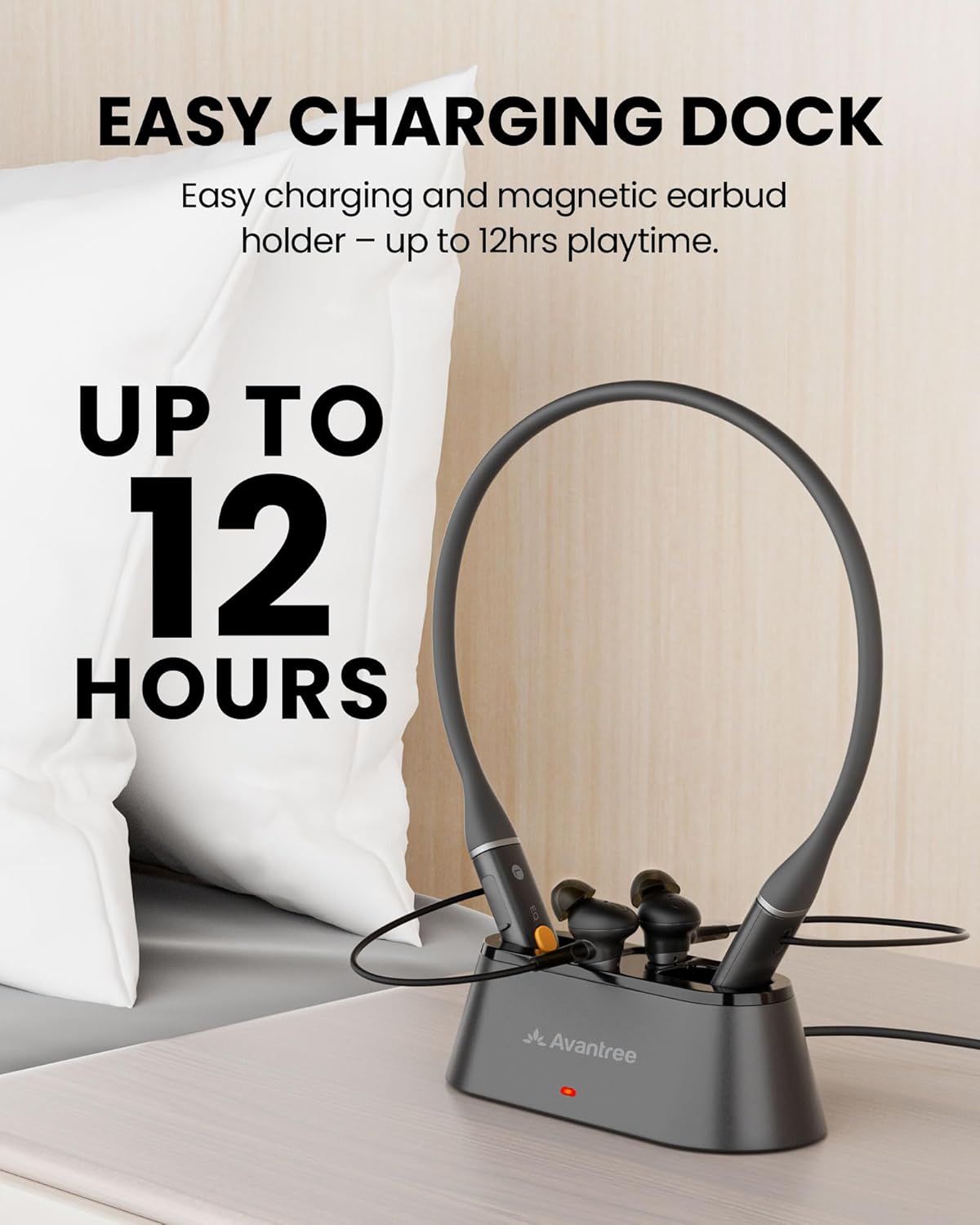
Image: The Avantree Aura Loop earbuds resting in their charging dock, indicating the ease of charging.
Risoluzione di prublemi
- Nisun sonu: Double-check all cable connections between the TV and transmitter. Verify TV audio output settings (PCM for Optical, Headset/External Speaker for AUX/RCA). Ensure the correct input mode (OPT/AUX) is selected on the transmitter.
- Headphones Unpaired: If the earbuds do not automatically connect to the transmitter, press the 'LOCK' button on the back of the transmitter to re-initiate pairing.
- Problemi di qualità di u sonu: Experiment with the three EQ modes (Balanced, Voice Clear 1, Voice Clear 2) on the earbuds to find the best clarity for your hearing. Ensure earbuds fit snugly in your ears.
- Corta durata di a batteria: Ensure earbuds are properly seated in the charging dock or connected directly via USB-C. Check that the charging indicator lights up.
Specificazioni
- Nome di mudellu: Aura Loop
- Numero di mudellu di l'articulu: BTHT-4817
- Tecnulugia di cunnessione: Auracast, Bluetooth
- Tecnulugia di cumunicazione wireless: Bluetooth, Auracast
- Versione Bluetooth: 5.4
- Controlu di u rumore: Isolamentu di u sonu
- Durata di a batteria: Finu à 24 ore
- Funzioni speciali: 3 EQ Modes, Auracast Sharing, Easy Dock Charging
- Dispositivi cumpatibili: Cellphones, Desktops, Television
- Metudu di cuntrollu: Tocca
- Posizionamentu di l'orechja: In l'arechja
- Pesu di l'articulu: 15.2 once
Garanzia è Supportu
Per infurmazioni nantu à a garanzia, supportu tecnicu o assistenza supplementaria, visitate u situ ufficiale d'Avantree. websitu o cuntattate u so serviziu clienti. Cunservate a vostra ricevuta d'acquistu per e richieste di garanzia.
Supportu in ligna: www.avantree.com/support