1. Introduzione
The ORICO 10Gbps Magnetic M.2 Docking Station is a versatile 8-in-1 USB-C hub and M.2 2230 NVMe enclosure designed to expand both storage and connectivity for your devices. It features multiple ports including HDMI 4K@60Hz, 10Gbps USB-C/A, SD/TF 3.0 card slots, 3.5mm AUX, and 100W Power Delivery. This manual provides instructions for setup, operation, and troubleshooting to ensure optimal performance.
2. Informazioni di sicurezza
- Keep the device away from water, fire, and corrosive substances.
- Ùn pruvate micca di disassemble, riparà o mudificà u dispusitivu.
- Evite di abbandunà o sottumette u dispusitivu à forti impatti.
- Assicurà una ventilazione curretta durante l'usu per prevene u surriscaldamentu.
- Aduprate solu adattatori di alimentazione è cavi cumpatibili.
3. Cuntenutu di u pacchettu

Figura 1: Cuntenutu di u pacchettu
- ORICO M.2 Magnetic Docking Station
- Manuale d'usu
- Anellu Magneticu
- Thermal Silicone x2
- Data Cable (USB-C to USB-C 20Gbps, 13cm)
- cacciavite
- Vite
4. Produttu Finituview

Figura 2: Caratteristiche è porte di u produttu
The ORICO Magnetic M.2 Docking Station integrates an M.2 2230 NVMe enclosure with an 8-port USB-C hub. Key features include:
- M.2 2230 NVMe Enclosure: Supports M.2 M Key 2230 SSDs up to 2TB for expanded storage.
- Attaccu Magneticu: Strong magnets for secure attachment to compatible devices. Includes a magnetic ring for non-magnetic surfaces.
- HDMI 4K à 60Hz: For high-resolution video output to external displays.
- 10Gbps USB-C/A Ports: High-speed data transfer for large files.
- SD/TF 3.0 Card Slots: Per fàciule file transfer from memory cards.
- Porta AUX di 3.5 mm: Supports external microphones for audio recording.
- 100W PD Pass-Through Port: Allows charging of connected devices while using the hub.
5. Setup
Installazione SSD 5.1
- Unscrew the screws and open the bottom cover of the docking station.
- Tilt the M.2 2230 NVMe SSD at approximately 30° to insert it into the slot.
- Tighten the tail screws to secure the SSD.
- Attach the thermal silicone pad to the top of the SSD.
- Close the bottom cover and tighten all screws.

Figure 3: M.2 NVMe SSD Installation Steps
Video 1: ORICO Magnetic M.2 2230/2242 NVMe SSD Enclosure Installation Guide
Video 2: Magnetic NVMe SSD Enclosure AP42 Installation
5.2 Magnetic Ring Installation
For devices without built-in magnetic attraction, use the included magnetic ring. Clean the back surface of your device, peel off the adhesive backing from the magnetic ring, and firmly attach it to the desired location on your device. This will allow the docking station to securely attach.
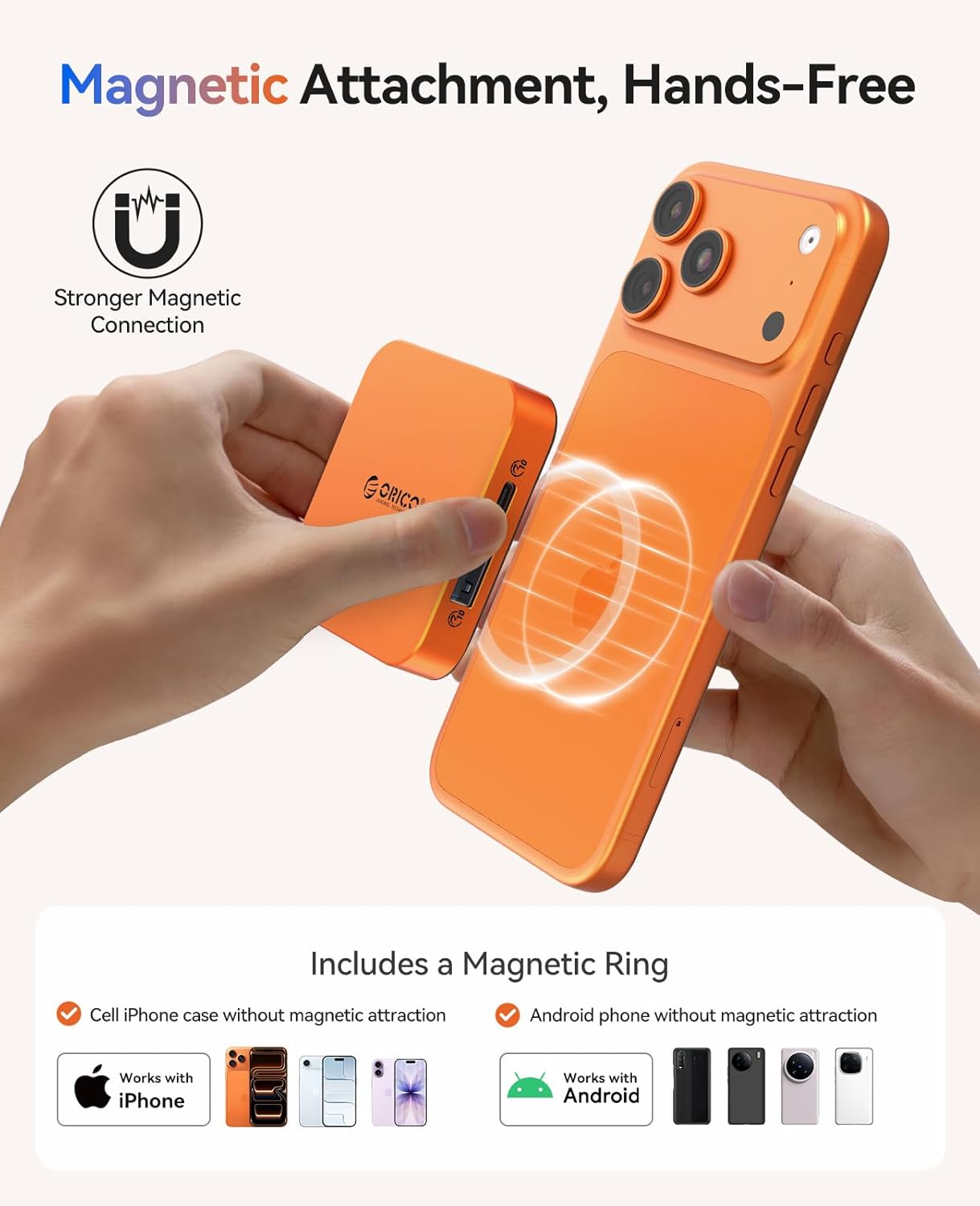
Figure 4: Magnetic Attachment to a Smartphone
6. Operating Instructions
6.1 Cunnessu à i dispusitivi
Connect the docking station to your iPhone, MacBook, iPad, Android device, or any other Type-C compatible device using the provided USB-C to USB-C data cable. The magnetic design allows for convenient attachment to the back of your device.

Figure 5: Wide Compatibility with USB-C Devices
6.2 trasferimentu di dati
Utilize the 10Gbps USB-C/A ports for high-speed data transfer. Insert SD or TF cards into their respective slots for quick file transfers. New SSDs require exFAT formatting on a PC before initial use.

Figure 6: High-Speed Data Transfer Capabilities
6.3 ProRes Video Recording
For iPhone 15 Pro/Pro Max users, directly save 4K ProRes footage to the installed M.2 SSD or an inserted SD/TF card. The 3.5mm AUX port supports external microphones for enhanced audio recording.

Figure 7: ProRes Video Recording with External Storage
6.4 uscita HDMI
Connect an external monitor or TV to the HDMI 4K@60Hz port for screen mirroring. This is ideal for presentations, gaming, or watching movies.
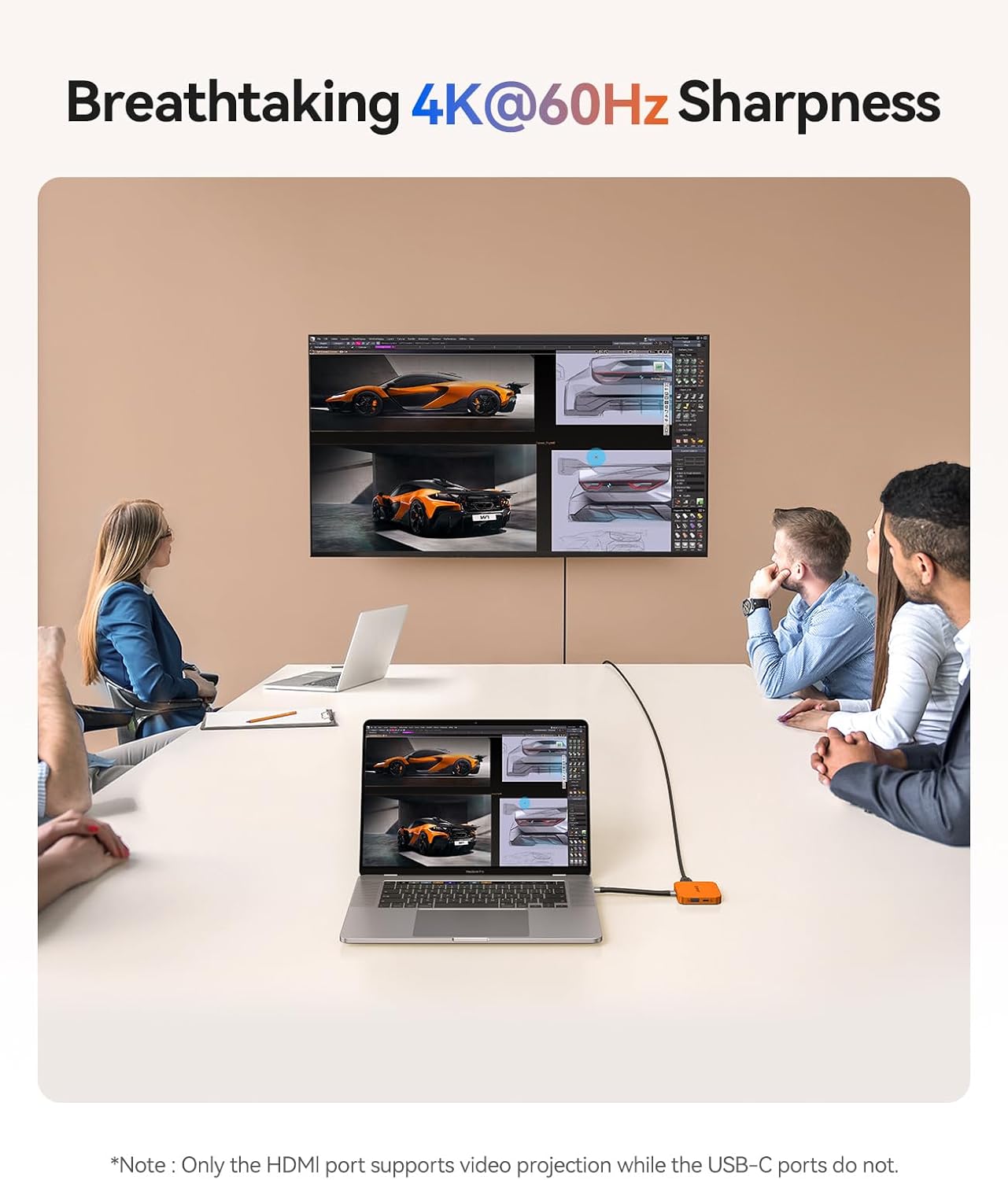
Figure 8: HDMI 4K@60Hz Output to External Display
6.5 Erogazione di putenza (PD)
The 100W PD pass-through port allows you to charge your phone or laptop via a power adapter or power bank while simultaneously using the hub's other functions. This prevents data transfer interruptions due to low battery.

Figure 9: 100W Power Delivery Functionality
7. Cumpatibilità
The ORICO Magnetic M.2 Docking Station is widely compatible with USB-C devices, including:
- iPhones (15 Pro/Pro Max and newer for direct ProRes recording, others with adapter)
- MacBooks
- iPads
- dispusitivi Android
- Other Type-C enabled laptops and tablets
8. Mantenimentu
- Mantene l'apparechju pulitu è senza polvere. Aduprate un pannu dolce è asciuttu per a pulizia.
- Mantene u dispusitivu in un locu frescu è seccu quandu ùn hè micca in usu.
- Evite l'esposizione di u dispositivu à temperature estreme o umidità.
- Regularly check cable connections for wear and tear.
9. Risoluzione di prublemi
- Apparatu micca ricunnisciutu: Ensure all cables are securely connected. Try connecting to a different USB-C port or device.
- SSD not detected: Verify the SSD is correctly installed. New SSDs must be formatted to exFAT on a PC before use.
- Slow data transfer: Ensure you are using 10Gbps compatible cables and ports. The speed may also be limited by the connected device or the SSD's performance.
- No video output via HDMI: Check the HDMI cable connection and ensure your display is set to the correct input. Some devices may require specific display settings.
- Problemi di carica: Ensure the power adapter/power bank connected to the PD port is sufficient (up to 100W). High-power SSDs may require external power via the PD port.
10. Specificazioni
| Feature | Specificazione |
|---|---|
| Numero di mudellu | ORICO-MG7-G2-BP |
| Dimensioni di u produttu | 2.52 x 2.52 x 0.47 inch (64 x 64 x 12 mm) |
| Pesu di l'articulu | 1.87 once (53 grammi) |
| Velocità di trasferimentu di dati | 10Gbps (USB-C/A) |
| Output Video | HDMI 4K à 60Hz |
| Consegna di energia | 100W PD Pass-Through |
| Slot per carte | SD/TF 3.0 |
| Portu Audio | 3.5 mm AUX |
| Compatibilità SSD | M.2 2230 NVMe (up to 2TB) |
11. Garanzia è Support
ORICO products come with a standard manufacturer's warranty. For detailed warranty information, technical support, or customer service, please visit the official ORICO websitu o cuntattate u vostru distributore lucale. Cunservate a vostra ricevuta d'acquistu per e richieste di garanzia.


