1. Introduzione
The Redragon M619 RGB Gaming Mouse is designed for precision and customization, offering a responsive gaming experience with its high DPI sensor, programmable buttons, and dynamic RGB backlighting. This manual provides instructions for setting up, operating, and maintaining your M619 gaming mouse.
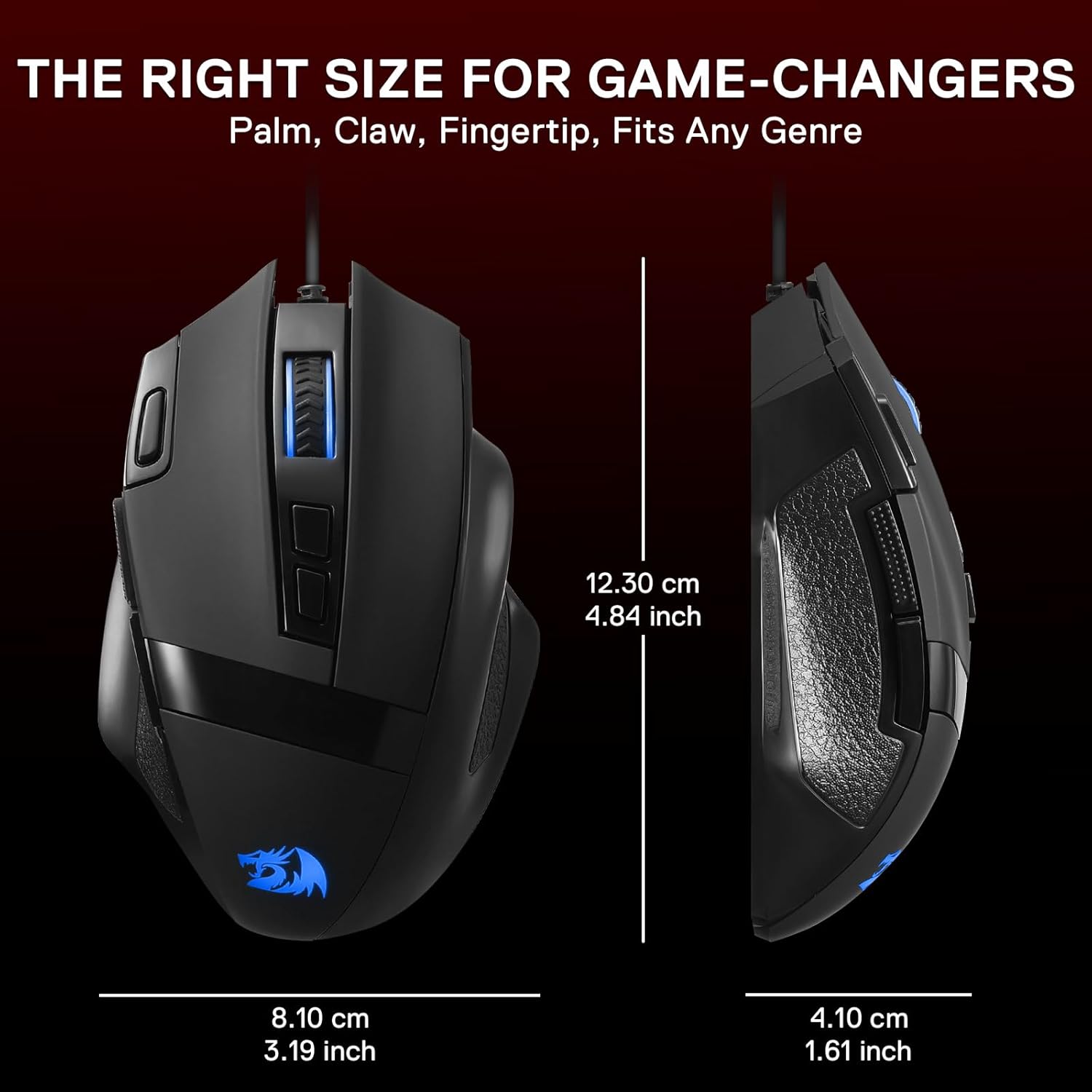
Image: The Redragon M619 mouse demonstrating its ergonomic design, fitting comfortably in a user's hand.
2. Cuntenutu di u pacchettu
- Redragon M619 RGB Gaming Mouse
- Manuale d'uso (stu documentu)
3. Setup Guide
- Cunnette u mouse: Inserite u connettore USB di u mouse Redragon M619 in un portu USB dispunibule nantu à u vostru urdinatore.
- Installazione di driver: U vostru sistema operativu duveria rilevà è installà automaticamente i driver necessarii.
- Installazione di u Software (Opzionale ma Raccomandata): For full customization of DPI, button assignments, and RGB lighting, download the official Redragon M619 software from the Redragon official websitu.

Image: The Redragon M619 RGB Gaming Mouse, showing its wired USB connection ready for use.
4. Operating Instructions
4.1. Ajustamentu DPI
The M619 mouse features 5 default DPI levels for quick sensitivity adjustments. These can be cycled through using the dedicated DPI buttons located behind the scroll wheel.
- Default DPI Levels: 400 / 800 / 1600 / 2400 / 3200
- Custom DPI: Using the Redragon software, you can customize DPI settings from 50 to 12800 DPI.

Image: Illustration of the 5 adjustable DPI levels (400, 800, 1600, 2400, 3200) and polling rates (125Hz, 250Hz, 500Hz, 1000Hz) for the Redragon M619 mouse.
4.2. Buttoni programmabili
The mouse is equipped with 8 programmable buttons, allowing for custom keybinds and macros. This includes a dedicated "Fire Key" for rapid actions.
- Total Buttons: 8 (Left Click, Right Click, Scroll Wheel Click, 2 Side Buttons, 2 DPI Buttons, Fire Key)
- persunalizazione: All 8 buttons can be reassigned using the Redragon software to suit your gaming or work needs.

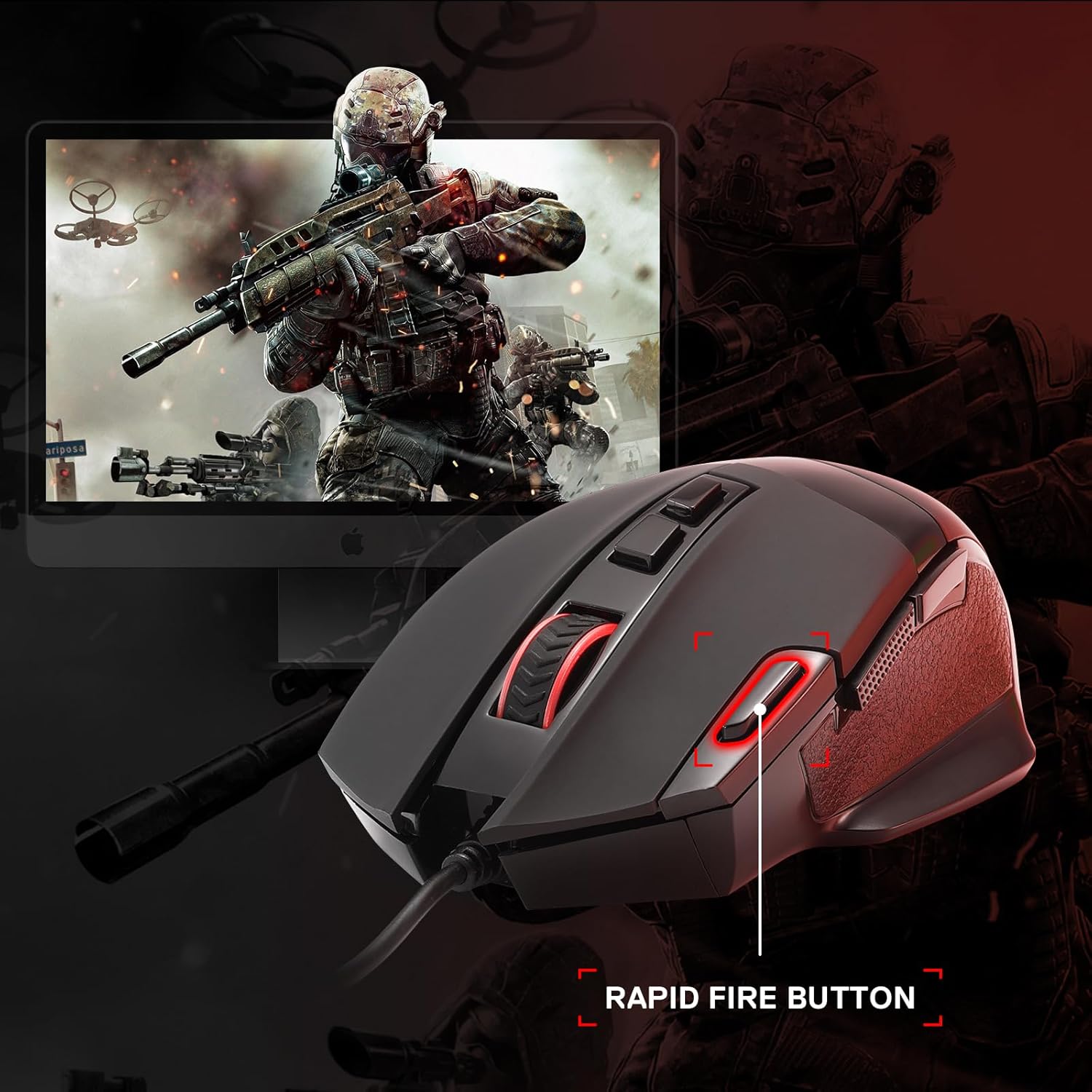
Image: The Redragon M619 mouse with a visual indicator pointing to the rapid fire button, useful for quick actions in games.
4.3. Retroilluminazione RGB
The M619 features dynamic RGB backlighting with 5 distinct lighting effects and over 16.8 million color combinations.
- Default Modes: Breathing, Rainbow, Full Lighting, Flash, Off.
- persunalizazione: Lighting effects and colors can be fully adjusted via the Redragon software.

Image: The Redragon M619 mouse showcasing its RGB lighting with different effects, including Breathing, Rainbow, Full Lighting, Flash, and Off modes.
5. Personalizazione di u Software
The Redragon M619 software provides advanced customization options for your mouse. It allows you to:
- Adjust DPI settings from 50 to 12800.
- Reassign functions to all 8 programmable buttons.
- Crea è gestisce macro.
- Persunalizà l'effetti di illuminazione è i culori RGB.
- Salvà parechji prufessiunalifiles per diverse applicazioni o ghjochi.
Please visit the official Redragon websitu per scaricà l'ultimu software per u mudellu M619.

Image: A screenshot of the Redragon M619 software interface, showing options for lighting, button customization, DPI, and macros.
6. Mantenimentu
Per assicurà a longevità è e prestazioni ottimali di u vostru mouse Redragon M619, seguitate queste linee guida di manutenzione:
- Pulizia: Aduprate un pannu dolce è asciuttu per asciugà a superficia di u mouse. Per a sporcizia ostinata, asciugate leggermente.ampSciacquate u pannu cù acqua. Evitate prudutti chimichi aggressivi o materiali abrasivi.
- Cura di i sensori: Mantene u sensore otticu situatu sottu à u mouse pulitu è senza polvere o detriti per assicurà un tracciamentu precisu.
- Gestione di Cable: Evitate pieghe strette o tirate eccessivamente u cavu USB per impedisce danni.
- Conservazione: Conservate u mouse in un ambiente pulitu è asciuttu quandu ùn hè micca in usu.
7. Risoluzione di prublemi
| Prublemu | Soluzione |
|---|---|
| U mouse ùn risponde micca. |
|
| DPI/Sensitivity issues. |
|
| Buttons are not working or feel mushy. |
|
| L'illuminazione RGB ùn funziona micca o hè incorretta. |
|
8. Specificazioni
| Feature | Detail |
|---|---|
| Numero di mudellu | M619 |
| Connettività | USB cablatu |
| Gamma DPI | 50 - 12800 (Software Adjustable) |
| Livelli DPI predefiniti | 400 / 800 / 1600 / 2400 / 3200 |
| Pulsanti programmabili | 8 |
| Retroilluminazione | RGB with 5 modes (16.8 million colors) |
| Durabilità di l'interruttore | Più di 10 milioni di clicchi |
| Tipu di sensor | otticu |
| Pesu di l'articulu | 5.6 ounces (circa 158.7 grammi) |
| Dimensioni (L x W x H) | Circa. 4.84 x 3.19 x 1.61 inch (12.30 x 8.10 x 4.10 cm) |
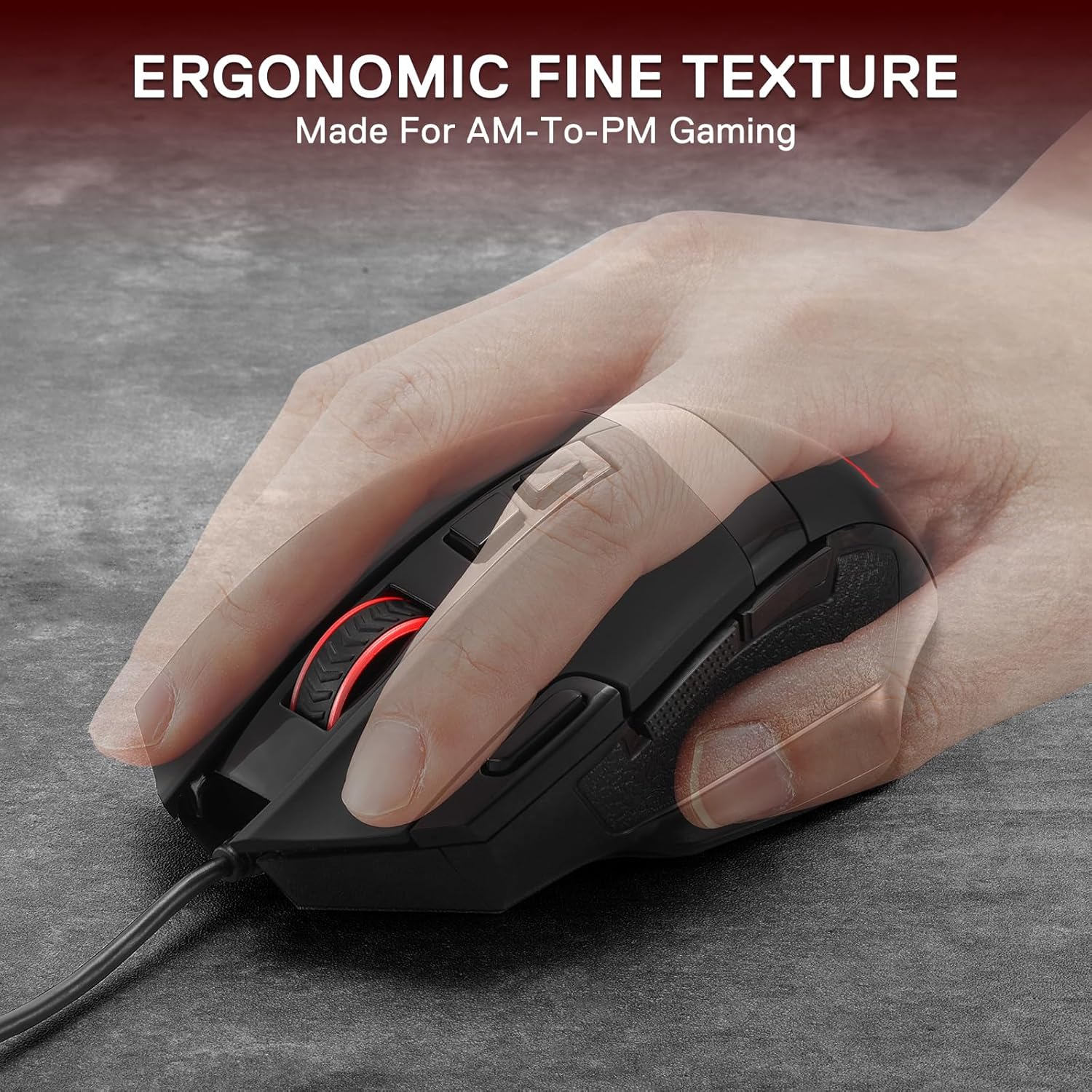
Image: The Redragon M619 mouse highlighting its durable mechanical switches, rated for over 10 million clicks, and precision tracking.

Image: Diagram showing the dimensions of the Redragon M619 mouse: 12.30 cm (4.84 inches) length, 8.10 cm (3.19 inches) width, and 4.10 cm (1.61 inches) height.
Imagine: Parte inferiore view of the Redragon M619 mouse, highlighting the gaming optical sensor with specifications: 12800 DPI Max, 120 IPS, and 25G ACC.
9. Garanzia è Support
I prudutti Redragon sò generalmente furniti cù una garanzia di u fabricatore. Per dettagli specifici di a garanzia, vi pregu di riferisce à a carta di garanzia inclusa cù u vostru pruduttu o visitate u situ ufficiale Redragon. websitu.
Per assistenza tecnica, assistenza per a risoluzione di i prublemi o reclami di garanzia, cuntattate u serviziu clienti Redragon per mezu di u so serviziu ufficiale. websitu o l'infurmazioni di cuntattu furnite in l'imballu di u vostru pruduttu.
Redragon ufficiale Websitu: www.redragonzone.com


