1. Introduzione
Thank you for choosing the TCL 55T6C 4K UHD Smart QLED Google TV. This manual provides essential information for the safe and efficient use of your television. Please read it thoroughly before operating the device and retain it for future reference.
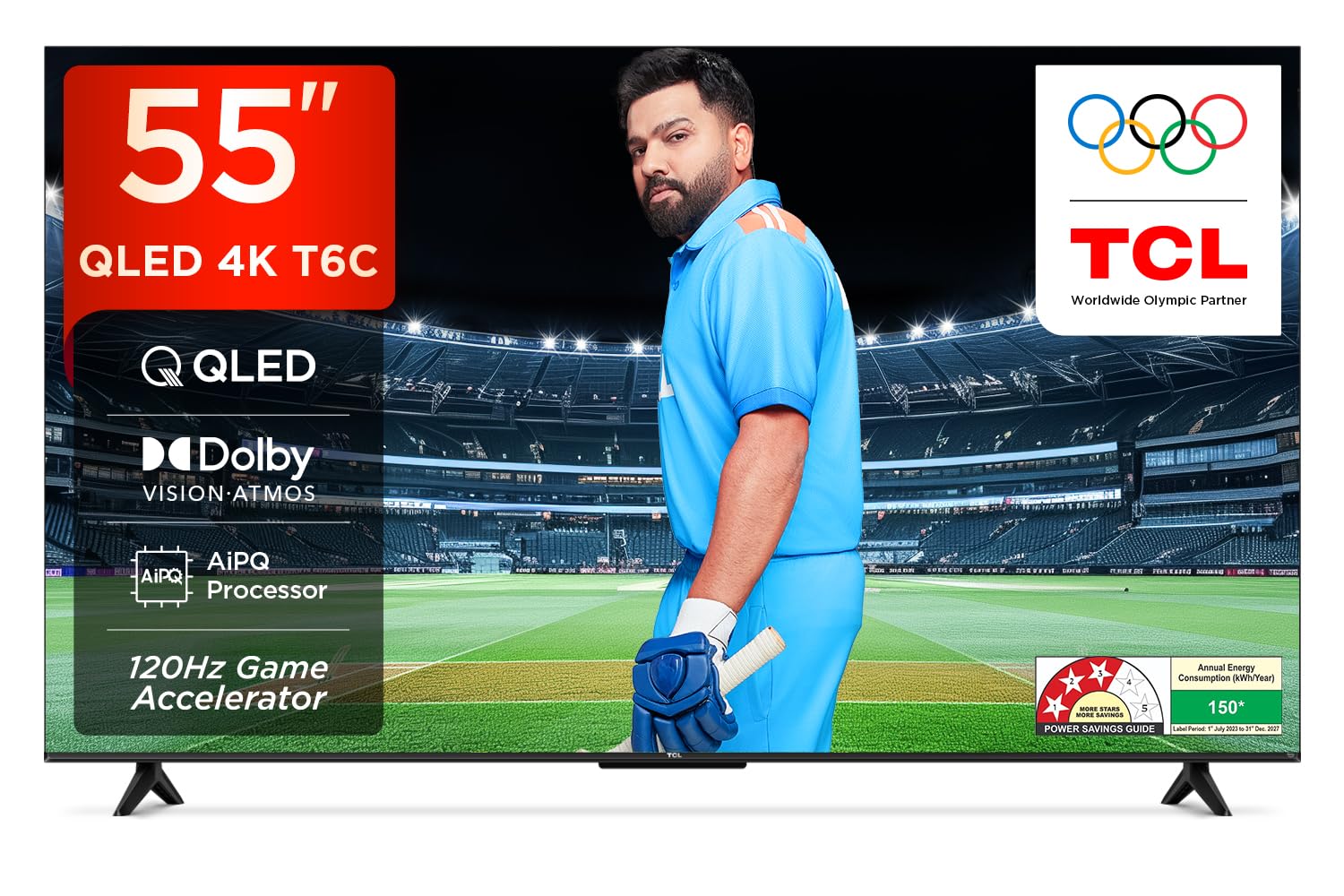
Image: Front view of the TCL 55T6C television, highlighting its sleek design and energy efficiency rating.
2. Informazioni di sicurezza
Always observe the following basic safety precautions when using your television:
- Ùn bluccate micca l'aperture di ventilazione. Assicuratevi chì ci sia un spaziu adeguatu intornu à u televisore per un flussu d'aria currettu.
- Ùn mette micca u televisore nantu à un carrettu, supportu, treppiede, staffa o tavula instabile.
- Prutegge u cordone di alimentazione da esse camminatu o pizzicatu.
- Do not expose the TV to rain or moisture to prevent fire or electric shock.
- Riferite tutte l'assistenza à u persunale di serviziu qualificatu.
3. Ciò chì hè in a scatula
Carefully unpack your television and check that all items are present:
- 1N LED TV (TCL 55T6C)
- Cavu audio 1N
- 1N Stand (for tabletop mounting)
- Control remoto 1N
- 2N Batterie AAA (per u telecomandu)
Note: A fixed or adjustable wall mount is not included and must be purchased separately if wall mounting is desired.

Image: Illustration of the items included in the product packaging.
4. Cunfigurazione fisica
4.1 Attaccà u Stand
- Pone u schermu di a TV cù u schermu in giù nantu à una superficia morbida è piana per impedisce danni.
- Allineate u supportu cù i fori di muntatura in fondu à u televisore.
- Assicurate u stand cù i viti furniti.
4.2 Muntaggio à u muru (opzionale)
If you choose to wall mount your TV, please use a compatible VESA wall mount (not included) and follow the instructions provided with the wall mount. Ensure the wall can support the weight of the TV (approximately 9.2 kg with stand, 9 kg without stand).

Imagine: Daretu view of the television, indicating the VESA mounting pattern for wall installation.
4.3 Dispositivi di cunnessione
Your TCL 55T6C TV offers various connectivity options:
- Porte HDMI (3): Connect Blu-ray players, gaming consoles, or set-top boxes. One port supports eARC for enhanced audio return.
- Porta USB (1): Cunnette i dispositivi di almacenamentu USB per a riproduzione multimediale.
- Ingressu Antenna/Cavu: Cunnette un'antenna o un segnale TV via cavo.
- Adattatore AV IN: Per i dispositivi più vechji chì utilizanu video cumpostu è audio stereo.
- LAN: Per una cunnessione internet via filu.
- Uscita Audio Digitale (Ottica): Per a cunnessione à sistemi audio esterni.

Imagine: Dettagliata view of the television's side panel, showing all available input and output ports with numerical labels.
5. Setup iniziale
- Power On: Cunnette u cavu d'alimentazione à u televisore è à una presa di corrente. Appughjà u buttone d'accensione di u telecomandu.
- Scelta di lingua: Segui l'istruzzioni nantu à u screnu per selezziunà a vostra lingua preferita.
- Cunnessione di Rete: Connect your TV to the internet via Wi-Fi or Ethernet.
- Configurazione di u contu Google: Cunnettatevi cù u vostru contu Google per accede à e funzioni, l'applicazioni è i cunsigli persunalizati di Google TV.
- Scan di Canale: Sè aduprate un'antenna o un cavu, eseguite una scansione automatica di i canali.

Image: Screenshot of the Google TV home screen, displaying popular streaming applications and content suggestions.
6. Operating Your TV
6.1 Cuntrollu à distanza
The smart remote control allows you to navigate the TV's features. It includes dedicated hotkeys for popular streaming services and a Google Assistant button for voice commands.
Image: Close-up of the remote control, highlighting the Google Assistant microphone button and quick access buttons for streaming services.
6.2 Funzioni di Smart TV (Google TV)
- Google Assistant: Aduprate i cumandamenti vocali per circà cuntenutu, cuntrullà i dispusitivi di casa intelligente è ottene informazioni.
- App di streaming: Access pre-installed apps like Prime Video, Netflix, Hotstar, Zee5, and download more from the Google Play Store.
- Mirroring di u screnu: Trasmettite cuntenutu da u vostru smartphone o tablet à a TV.
- Lista di surveglianza: Create a unified watchlist across various streaming services.

Image: The Google TV interface demonstrating the Watchlist feature and its integration with mobile devices.
6.3 Impostazioni di l'imagine è di u sonu
Ajustate i paràmetri di l'imagine è di u sonu per ottimizà u vostru viewsperienza:
- Modi di stampa: Select from various preset modes (e.g., Standard, Vivid, Movie, Game) or customize settings like brightness, contrast, and color.
- Modi di sonu: Choose audio presets (e.g., Standard, Music, Movie) or adjust equalizer settings.
- Dolby Atmos: Pruvate un audio tridimensionale immersivu.
- DTS Virtual:X: Enjoy virtualized 3D sound without additional speakers.
Image: Visual representation of Dolby Atmos technology delivering immersive sound from the television.
6.4 Gaming Features (Game Master)
The Game Master feature enhances your gaming experience:
- Acceleratore di ghjocu 120Hz: Reduces latency and provides a higher refresh rate for smoother gameplay.
- Low Input Lag: Optimized for responsive gaming.

Image: A gaming scene displayed on the television, illustrating the benefits of the Game Master feature for an optimized gaming experience.
7. Mantenimentu
7.1 Pulizia di a TV
- Scollegate sempre u televisore prima di pulisce.
- Aduprate un pannu dolce è asciuttu per asciugà u schermu è u cabinet.
- Per e macchie ostinate, aduprate un pulitore di schermu specificamente cuncipitu per i televisori, applicatu à u pannu, micca direttamente à u schermu.
- Ùn aduprate micca detergenti abrasivi, cere o solventi.
7.2 Actualizazioni di u Software
Your TV may receive automatic software updates. Ensure your TV is connected to the internet to receive these updates, which can improve performance and add new features.
8. Risoluzione di prublemi
Sè avete prublemi cù u vostru televisore, riferitevi à e seguenti suluzioni cumuni:
| Prublemu | Soluzione Possibile |
|---|---|
| Nisun putere | Check if the power cord is securely plugged into the TV and the power outlet. Ensure the outlet is active. |
| Nisuna imagine, ma u sonu hè presente | Verificate a fonte d'entrata. Assicuratevi chì i dispositivi esterni sianu cunnessi currettamente è accesi. |
| Nisun sonu, ma l'imagine hè presente | Check volume levels. Ensure mute is not activated. Check audio output settings if using external speakers. |
| U cuntrollu remoto ùn funziona micca | Rimpiazzà e batterie. Assicuratevi chì ùn ci sia micca ostaculi trà u telecomandu è u sensore IR di u televisore. |
| Problemi di cunnessione Wi-Fi | Riavviate u vostru router è u modem. Inserite di novu a password Wi-Fi. Assicuratevi chì a TV sia in portata di u router. |
Per prublemi più cumplessi, cuntattate l'assistenza clienti TCL.
9. Specificazioni
| Feature | Detail |
|---|---|
| Mudellu | 55T6C |
| Size Display | 139 cm (55 inches) |
| Risoluzione | 4K UHD (3840 x 2160) |
| Tecnulugia di visualizazione | QLED, HDR 10+, HVA Panel, Dynamic Color Enhancement |
| Frequenza di rinfrescante | 60 Hz (120Hz Game Accelerator) |
| Processore | 64-bit Quad Core, AiPQ Processor |
| Sistema upirativu | Google TV |
| RAM / ROM | 2 GB / 16 GB |
| Output audio | 24 Watts, Dolby Atmos, DTS Virtual:X |
| Connettività | 3 HDMI (1 eARC), 1 USB, Wi-Fi 5, Ethernet, Bluetooth |
| Dimensioni (cù stand) | 25.5 x 122.6 x 75 cm |
| Pesu (cù stand) | 9.2 kg |
| Cunsumu d'energia | 135 Watt |
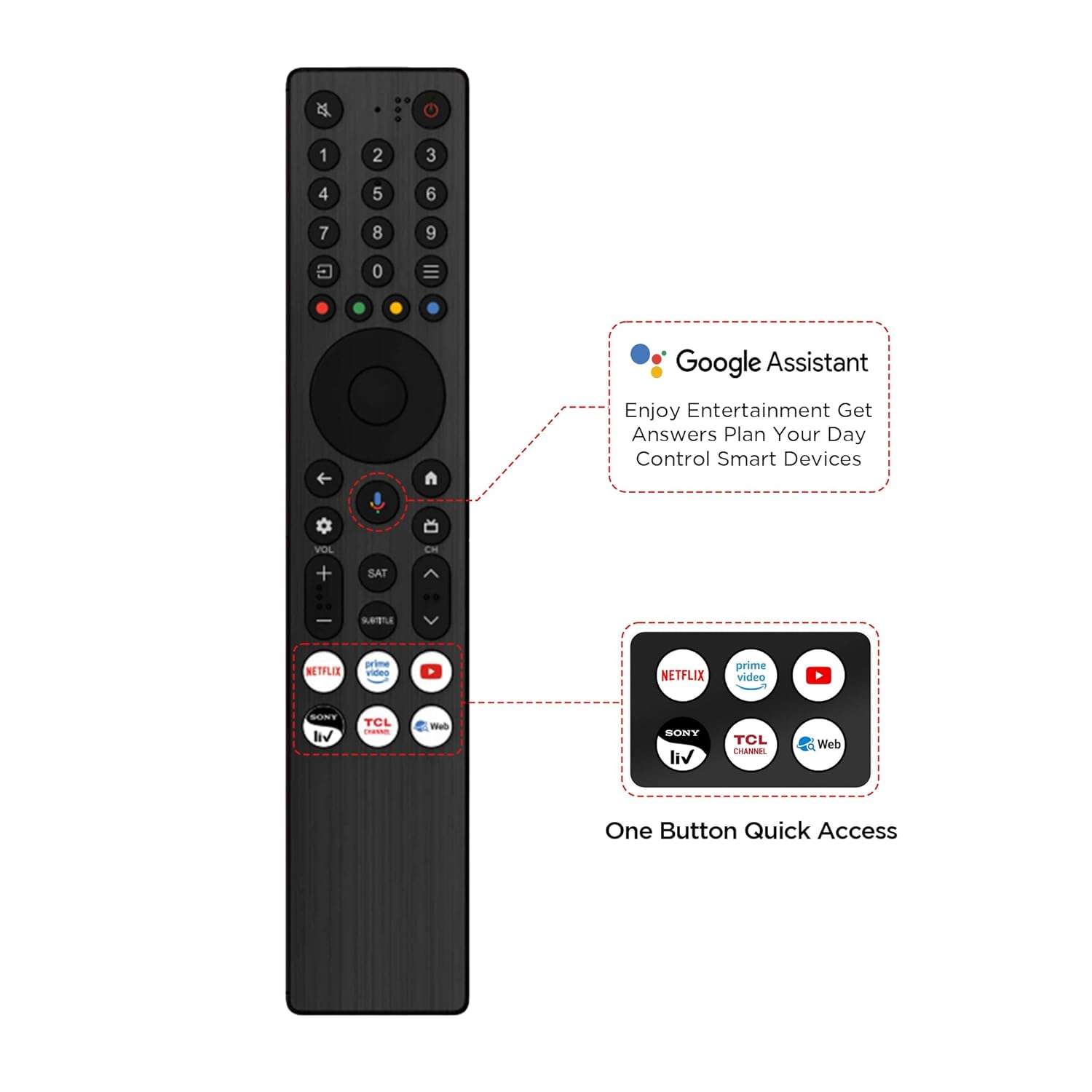
Image: Diagram illustrating the physical dimensions of the TCL 55T6C television, both with and without its stand.
10. Garanzia è Support
10.1 Garanzia infurmazione
Your TCL 55T6C television comes with a Garanzia di u fabricatore di 2 anni from the date of purchase. The remote control has a separate guaranzia di 6 mesiI reclami di garanzia ponu esse trattati cù a vostra fattura elettronica Amazon.
10.2 Assistenza Clienti
For technical assistance, service requests, or further inquiries, please visit the official TCL support website or contact their customer service helpline. Refer to the product packaging or TCL's official websitu per l'infurmazioni di cuntattu più recenti.


